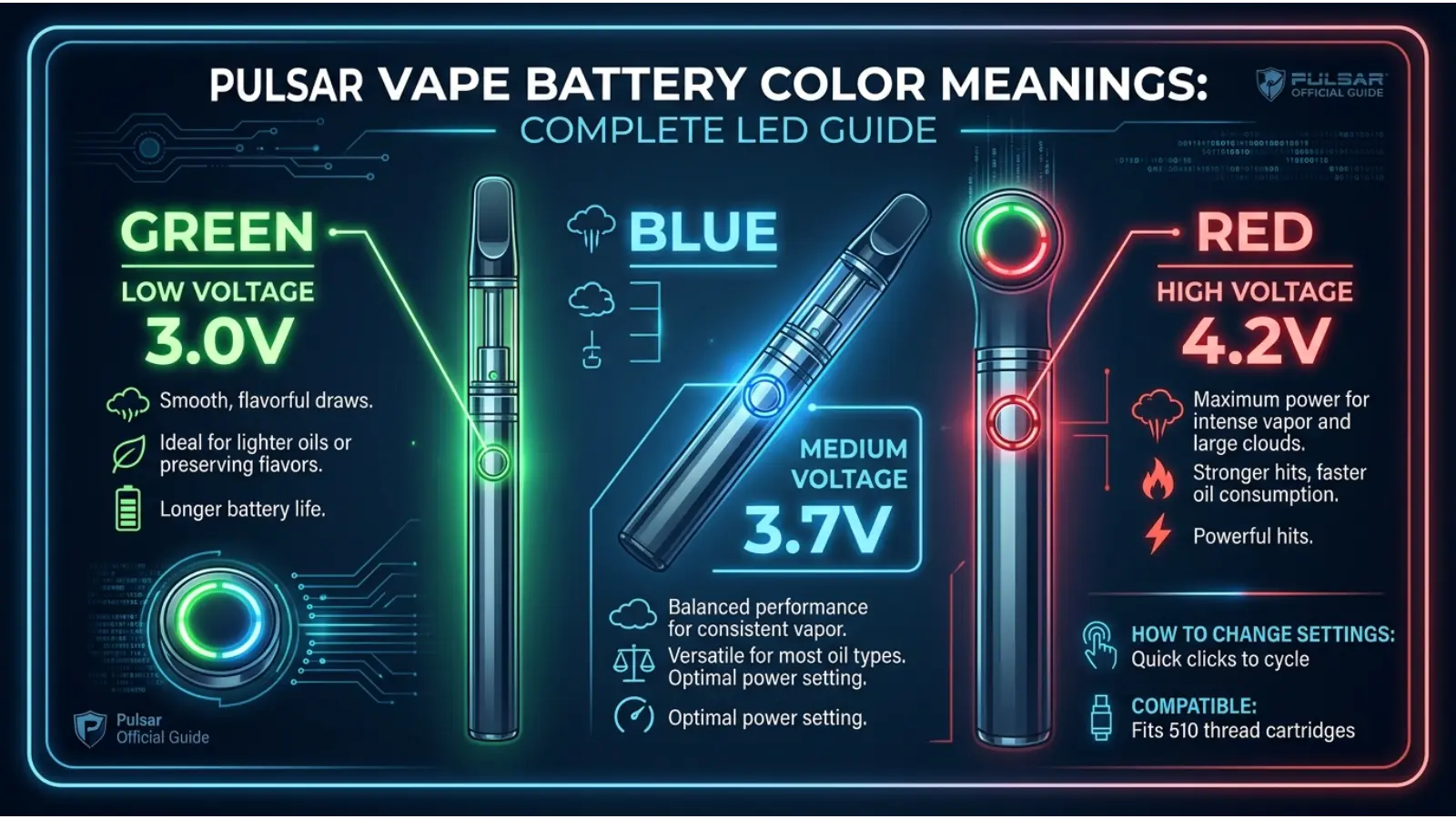
If you are searching for Pulsar vape battery color meanings, you are probably trying to figure out what the green, blue, red, white, or flashing lights on your Pulsar device are telling you. The key point is that these colors do not have one universal meaning across every Pulsar vape. Different Pulsar models use LED colors for different functions, including voltage settings, battery level, charging status, and preheat modes.
For example, the Pulsar PHD uses red, green, blue, and white to show different voltage settings, while the Pulsar 510 VLT uses green, blue, and red to indicate battery level.
That difference matters because assuming that “red always means low battery” or “green always means fully charged” can lead to the wrong answer.
This guide explains the Pulsar vape battery color meanings by function and model. It also explains what the colors mean psychologically and symbolically, while keeping those interpretations separate from the technical meanings defined by the device manufacturer.
Quick Answer: What Do Pulsar Vape Battery Colors Mean?
There is no single Pulsar color code for every vape battery. On some models, colors indicate voltage; on others, they indicate battery level, charging, or preheat operation.
| LED Color | Common Pulsar Meaning | Example |
|---|---|---|
| 🟢 Green | Low voltage, high battery, or fully charged | 510 VLT, PHD |
| 🔵 Blue | Medium voltage, medium battery, or preheat | 510 VLT, PHD |
| 🔴 Red | High voltage, low battery, or charging | 510 VLT, PHD |
| ⚪ White | Lowest voltage setting on some models | PHD |
| 🌈 Rainbow | Special lighting or operating mode on some models | GiGi |
| Flashing | Often an alert, mode, or connection-related signal | Model dependent |
The safest answer is to identify your exact Pulsar model before interpreting a color. Pulsar’s official manuals show that the same color can represent different functions on different devices.
Why Pulsar Vape Battery Colors Have Different Meanings
A vape LED is primarily a status indicator, not a traditional color-symbolism system.
That distinction is important. When a Pulsar device displays blue, the manufacturer may be using blue simply because it is easy to distinguish from the other operating states. It does not necessarily mean calmness, spirituality, or any other psychological quality.
At the same time, people naturally attach meaning to colors. Red often feels like a warning, green suggests that something is ready, and blue can feel calm or neutral. These associations can make device interfaces easier to understand.
However, the technical meaning always takes priority over symbolic meaning.
For instance, the official Pulsar PHD manual assigns blue to 3.2V, green to 3.6V, red to 4.0V, and white to 2.8V.
So, on that device, blue does not mean “medium battery.” It means a particular voltage setting.
Pulsar PHD Vape Battery Color Meanings
The Pulsar PHD is a 650mAh 510-threaded cartridge battery with four voltage settings ranging from 2.8V to 4.0V. Its LED also communicates information during preheat.
PHD Voltage Color Chart
| Color | Voltage | Meaning |
|---|---|---|
| ⚪ White | 2.8V | Lowest voltage |
| 🔵 Blue | 3.2V | Low-to-medium voltage |
| 🟢 Green | 3.6V | Medium-to-high voltage |
| 🔴 Red | 4.0V | Highest voltage |
This is a useful example of why you should not use a generic “vape LED color chart” for every Pulsar product.
On the PHD, increasing voltage changes the heat delivered to the cartridge. Therefore, the color is effectively a visual shortcut for the selected voltage.
What Does Blue Mean on the Pulsar PHD?
Blue represents 3.2V on the PHD.
This is not a battery percentage indicator. Instead, it tells you which voltage setting is selected.
What Does Green Mean on the Pulsar PHD?
Green represents 3.6V.
The green light can therefore indicate a higher voltage than blue on this particular model.
What Does Red Mean on the Pulsar PHD?
Red represents 4.0V, the highest listed voltage setting.
Because red is commonly associated with heat, intensity, and warning signals, the color also happens to fit the idea of a higher-power setting. Still, the official meaning comes from the voltage specification, not color psychology.
What Does White Mean on the Pulsar PHD?
White represents 2.8V, the lowest voltage setting on the PHD.
White is often associated with simplicity or neutrality in design, but here its practical purpose is simply to distinguish the lowest setting from the other colors.
Pulsar 510 VLT Battery Color Meanings
The Pulsar 510 VLT provides a different example because its LED can communicate battery level as well as voltage information.
According to the available user manual, its battery-level indicator works as follows: green means 75% or more battery, blue means 35%–75%, and red means below 35%.
510 VLT Battery Level Chart
| LED Color | Battery Level |
|---|---|
| 🟢 Green | 75% or more |
| 🔵 Blue | 35%–75% |
| 🔴 Red | Below 35% |
This means that red can mean low battery on the 510 VLT, even though red means the highest voltage setting on the PHD.
That single difference explains why online searches for “Pulsar red light meaning” can produce confusing answers.
Green Light on the 510 VLT
Green indicates a battery level of 75% or more when the battery-level indicator is being used.
The Green also appears during charging when the battery reaches a full charge. The manual states that the charging light starts red and changes to green when charging is complete.
Blue Light on the 510 VLT
Blue indicates a battery level between 35% and 75% when checking battery status.
The same device also uses blue for its medium voltage setting, so the action being performed matters when interpreting the light.
Red Light on the 510 VLT
Red indicates below 35% battery when checking the battery level.
During charging, however, red means the device is actively charging rather than simply indicating a low battery.
Pulsar 510 DL Color Meanings
The Pulsar 510 DL is another example of model-specific color coding.
The official Pulsar support information lists two voltage settings:
- Green = 3.0V
- Red = 3.8V
The 510 DL also has USB-C charging and an automatic shut-off after 10 seconds of continuous use.
Therefore, if your 510 DL displays green, do not automatically interpret it as “full battery.” In the documented voltage system, green identifies the lower 3.0V setting.
Pulsar Vape Charging Light Meanings
Charging colors depend on the model.
For the Pulsar 510 VLT, the documented charging behavior is straightforward:
Red = charging
Green = fully charged
The device uses USB-C and has an approximate charging time of 80 minutes under the manufacturer’s stated conditions.
However, you should not assume that every Pulsar battery follows exactly the same charging sequence.
If your device behaves differently, check the manual for that specific model rather than relying on a general internet chart.
Pulsar Preheat Light Meanings
LED colors can also represent a heating process rather than battery status.
The Pulsar PHD uses a pulsing blue LED during its cartridge preheat stage. Its documented cartridge preheat operates at 1.5V for the first 15 seconds. The device then uses a pulsing green LED for shell preheating during the remaining portion of the cycle.
This creates an important distinction:
A solid color and a pulsing color may have completely different meanings.
Therefore, when troubleshooting a Pulsar battery, pay attention to:
- the color
- whether it is solid or flashing
- how many times it flashes
- what button sequence you used
- whether the cartridge is attached
- whether the device is charging
Those details can change the interpretation.
Pulsar Vape Battery Color Meanings
A flashing light should not automatically be interpreted as a battery warning.
Depending on the Pulsar model, flashing may relate to an operating mode, preheat cycle, protection feature, or connection issue.
For example, user reports describe Pulsar batteries flashing when users encounter cartridge-connection problems, but these reports are not a substitute for the official manual.
If a Pulsar battery suddenly begins flashing and will not heat, a sensible troubleshooting sequence is:
- Stop using the device temporarily.
- Check whether the cartridge is properly connected.
- Inspect the connection area for residue or debris.
- Make sure the battery has adequate charge.
- Check the model-specific manual.
- Contact Pulsar support if the problem continues.
Avoid repeatedly forcing a cartridge connection or continuing to operate a device that becomes unusually hot.
Pulsar Vape Battery Color Meanings at a Glance
Here is a broader comparison of documented Pulsar examples:
| Pulsar Model | Green | Blue | Red | White |
|---|---|---|---|---|
| Pulsar PHD | 3.6V | 3.2V | 4.0V | 2.8V |
| Pulsar 510 VLT | ≥75% battery | 35–75% battery | <35% battery | — |
| Pulsar 510 DL | 3.0V | — | 3.8V | — |
The chart demonstrates the most important rule in this guide: color meanings are model-specific.
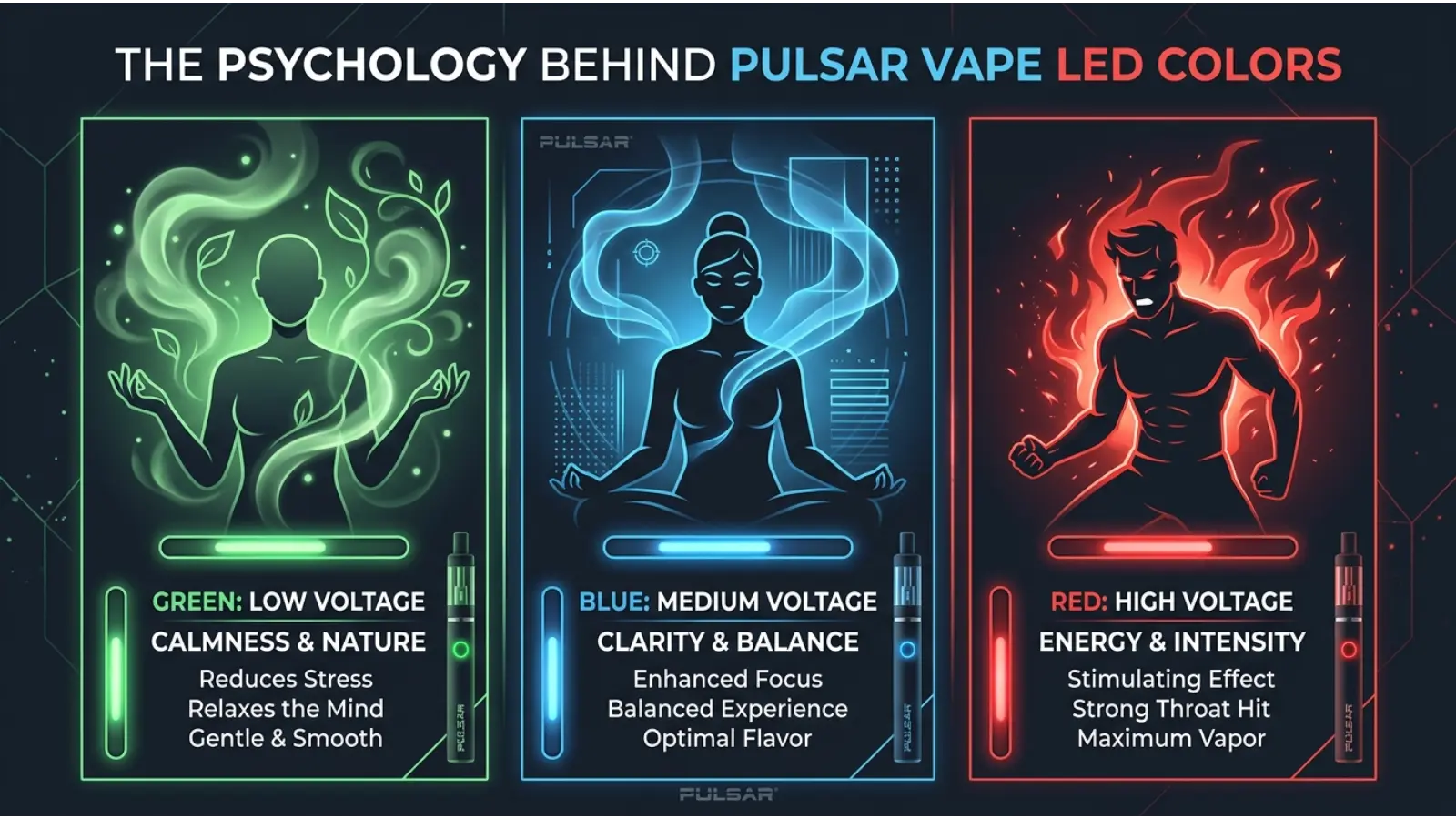
The Psychology Behind Pulsar Vape LED Colors
Although the technical meaning comes from the device, the choice of colors can still be understood through basic visual psychology.
Green
Green is widely associated with:
- readiness
- safety
- nature
- permission
- balance
- completion
That makes it an intuitive choice for a “ready” or positive status light.
Still, green does not always mean that a Pulsar battery is fully charged. On the PHD, for example, green represents 3.6V.
Blue
Blue commonly creates associations with:
- calmness
- stability
- technology
- cleanliness
- reliability
In a device interface, blue is also visually distinct from red and green.
On the PHD, blue represents 3.2V, while on the 510 VLT it can indicate a medium battery level.
Red
Red tends to attract attention quickly.
People often associate it with:
- heat
- urgency
- energy
- danger
- stopping
- intensity
That makes red useful for status indicators. Yet its exact technical meaning depends on the Pulsar model.
White
White often communicates:
- simplicity
- neutrality
- clarity
- minimalism
On the PHD, however, white has a precise technical role: it indicates the 2.8V setting.
Why Color Meaning Changes With Context
A color never communicates in isolation.
Consider a red LED. If the device is charging, red may mean charging. If the user checks battery status, it may mean low battery. On another Pulsar model, red can indicate high voltage.
The same color therefore carries different information because the context changes the message.
This principle applies beyond vape batteries. Traffic lights, smartphone indicators, computer interfaces, warning signs, and medical equipment all use color in context.
The lesson is simple: never interpret an indicator color without knowing what the device is doing at that moment.
A Real-Time Example: Reading a Pulsar Battery Today
Imagine you connect a Pulsar 510 VLT to a USB-C charger.
The LED turns red.
If you are using the documented charging system for that model, red means the battery is charging. Later, when the light turns green, the battery has reached a full charge according to the manual.
Now imagine you disconnect it and check the battery level.
The the indicator shows green, that can mean the battery is at least 75% charged. If it shows blue, it is between 35% and 75%. If it shows red, it is below 35%.
The color has not changed because the device is “confused.” The function being communicated has changed.
How Voltage Colors Affect Your Interpretation
Voltage is one of the most important technical reasons Pulsar uses different colors.
A higher voltage generally means the battery supplies more electrical potential to the cartridge’s heating element. However, higher is not automatically better.
The appropriate setting depends on the compatible cartridge and the device’s specifications.
For example, the PHD provides 2.8V, 3.2V, 3.6V, and 4.0V settings.
Instead of choosing a setting simply because its color looks appealing, follow the cartridge and device manufacturer’s recommendations.
Common Misconceptions About Pulsar Battery Colors
“Red always means the battery is dying.”
Not necessarily.
Red means low battery on the 510 VLT, but red represents 4.0V on the PHD and 3.8V on the 510 DL.
“Green always means fully charged.”
No.
Green can indicate a full battery on the 510 VLT after charging, but it represents a voltage setting on other Pulsar products.
“Blue always means medium heat.”
No.
Blue has different roles depending on the model and operating mode.
“Pulsar chose colors based on spiritual meanings.”
There is no good basis for making that claim.
Color symbolism can help explain why certain colors feel intuitive, but the technical meanings of Pulsar LEDs come from the device’s design and documentation.
“Every Pulsar vape uses the same LED chart.”
This is perhaps the biggest misconception.
Pulsar makes multiple devices with different indicator systems. Always identify the exact model first.
Pulsar Vape Colors and Branding
Color also matters before the device is switched on.
Pulsar products are sold in multiple body finishes and color variations. For example, the Slim Spinner battery has been offered in colors including orange, yellow, green, blue, purple, pink, silver, gunmetal, and black.
These exterior colors are different from the LED status colors.
That distinction is easy to overlook.
A purple Pulsar battery does not necessarily have a purple LED meaning. The physical finish is a design choice, while the indicator light communicates device information.
This is a useful branding principle: product color creates an emotional first impression, while interface color communicates function.
Pulsar Vape Colors in Design and Fashion
The physical color of a vape battery can also affect how people perceive its style.
Black
Black often gives a product a sleek, technical, understated appearance.
White
White can make a small device feel cleaner and more minimalist.
Blue
Blue may create a calm, modern, or technological impression.
Purple
Purple can appear more expressive, creative, or distinctive.
Pink
Pink often creates a softer, playful, or fashion-oriented impression.
Green
Green can suggest freshness, nature, or an outdoors-inspired aesthetic.
These are design associations, not personality diagnoses. A person’s choice of product color cannot reliably tell you what that person is like.

How Lighting Changes Pulsar Vape Colors
Ambient light can change how an LED appears.
A blue LED may look brighter in a dark room and less intense in daylight. A white LED can appear slightly cool or warm depending on surrounding light. Metallic device finishes can also reflect nearby colors.
Therefore, if you are trying to identify a status light from a photograph, remember that:
- camera exposure changes brightness
- white balance changes color
- reflections affect metallic surfaces
- colored surroundings can influence appearance
- flashing LEDs may look different in video than in person
For accurate troubleshooting, the exact device behavior is more useful than a photograph alone.
How Age and Culture Affect Color Interpretation
People do not learn color meanings in exactly the same way.
A person raised in a culture where red is strongly associated with celebration may respond differently to red than someone who primarily learned red as a warning color.
Age, technology experience, cultural background, and personal experience can also influence interpretation.
Nevertheless, technical interfaces often use familiar conventions because users need to understand them quickly.
That is why green, yellow, and red appear so often in digital dashboards and status systems. The meaning becomes partly learned through repeated exposure.
Pulsar Vape Color Meanings vs. Traditional Color Symbolism
It helps to keep two ideas separate.
Technical color meaning:
What the manufacturer programmed the LED to communicate.
Symbolic color meaning:
What people culturally or psychologically associate with a color.
For example:
Pulsar technical meaning: Red may indicate 4.0V on the PHD.
Symbolic meaning: Red is commonly associated with heat, energy, urgency, and intensity.
The second interpretation can explain why red feels appropriate for a high-power setting, but it does not define the device’s actual function.
Practical Troubleshooting Guide
If your Pulsar battery shows an unexpected color, work through the problem logically.
Step 1: Identify the Model
Look for the model name on the device, packaging, or documentation.
Step 2: Identify the Action
Ask what happened immediately before the light appeared:
- Did you press the button?
- Did you inhale?
- Did you connect the charger?
- Did you activate preheat?
- Did you change voltage?
Step 3: Observe the Pattern
Is the LED:
- solid?
- pulsing?
- flashing?
- changing colors?
- turning off immediately?
Step 4: Check the Connection
If the device does not activate normally, check the cartridge connection and follow the manufacturer’s cleaning and operating instructions.
Step 5: Check the Manual
Use the manual for your exact model instead of applying a generic Pulsar chart.
Step 6: Stop if the Device Behaves Abnormally
If the battery becomes unusually hot, damaged, swollen, or otherwise unsafe, stop using it and follow the manufacturer’s safety guidance.
Frequently Asked Questions
What does the green light mean on a Pulsar vape battery?
It depends on the model. On the Pulsar PHD, green represents 3.6V. On the 510 VLT, green indicates a battery level of 75% or more when checking battery status, and green also indicates a full charge after charging.
What does the blue light mean on a Pulsar vape?
Blue can have different meanings. On the PHD, it represents 3.2V. On the 510 VLT, it indicates a battery level between 35% and 75% when checking battery status.
What does the red light mean on a Pulsar battery?
Red depends on the model. It represents 4.0V on the PHD, 3.8V on the 510 DL, and below 35% battery on the 510 VLT when checking battery status. On the 510 VLT, red also indicates charging.
What does white mean on the Pulsar PHD?
White represents the 2.8V setting, which is the lowest listed voltage on the PHD.
Why is my Pulsar light flashing?
Flashing can indicate different operating conditions depending on the model. It may relate to preheat, protection, or a connection problem. Check the manual for the exact device before assuming that flashing means low battery.
Does Pulsar use color to show battery percentage?
Some Pulsar models do. The 510 VLT, for example, uses green, blue, and red to represent different battery-level ranges. Other models primarily use colors to communicate voltage or operating modes.
Is a red Pulsar light always a warning?
No. Red is not universally a warning. On the PHD, it represents the highest voltage setting, while on the 510 VLT it can mean charging or a low battery depending on the operation being performed.
Can I use the same color chart for every Pulsar vape?
No. Pulsar’s different models use different LED systems. Using the wrong chart can lead to an incorrect interpretation.
Does the physical color of my Pulsar battery affect the LED meaning?
Usually, the exterior finish and indicator-light system are separate design elements. A blue, purple, or black body does not automatically change what the status LED means.
Where can I find the correct meaning for my Pulsar battery?
The best source is the manual or support documentation for your exact model. Pulsar’s support documentation provides model-specific information, including the PHD, 510 DL, and other devices.
Final Thoughts on Pulsar Vape Battery Color Meanings
The most useful way to understand Pulsar vape battery color meanings is to stop thinking of the colors as one universal language.
Green does not always mean full. Red does not always mean low. Blue does not always mean medium. White does not always mean a warning or neutral status.
Instead, Pulsar uses different colors to communicate different pieces of information across its product range. The PHD uses colors primarily for voltage and preheat functions, while the 510 VLT also uses colors for battery-level and charging information.
Color psychology still helps explain why these indicators feel intuitive. Green can suggest readiness, red can attract attention, and blue can feel stable or technological. However, those symbolic associations should never replace the manufacturer’s technical instructions.
The simplest rule is therefore the most reliable one:
Find your exact Pulsar model first, then interpret the LED color according to that model’s manual and the action that caused the light to appear.
That approach turns a confusing flashing light into useful information—and helps you avoid the most common mistake of applying one Pulsar color chart to every Pulsar battery.

Emma Wilson is a dedicated comparison writer and product researcher at ColorMystiic.com. She specializes in creating unbiased product comparisons, detailed reviews, and helpful buying guides. Her goal is to help readers make smarter purchasing decisions with confidence.