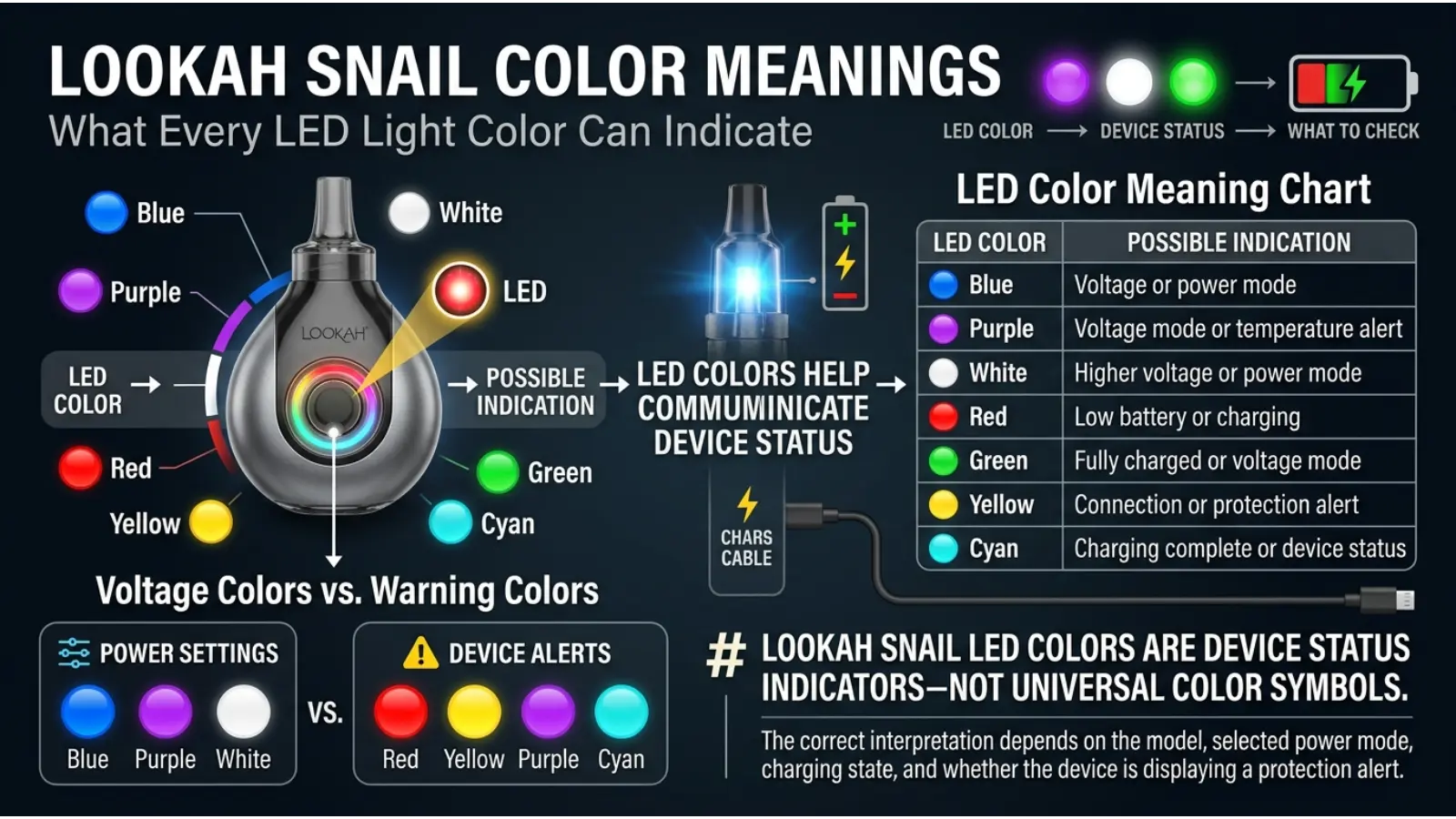
The Lookah Snail color meanings can sometimes be confusing because the LED lights do not represent symbolism or personality. Instead, each color communicates information about the device’s operating mode, voltage level, battery status, charging progress, or a possible safety warning.
The Lookah Snail uses colored LED indicators to make its small design easier to understand. For example, blue, purple, and white lights may show different voltage settings, while red can signal charging or a low battery. Other flashing colors can indicate that the device needs attention.
However, the exact meaning of a light may vary slightly between different Lookah Snail versions and production models. Therefore, understanding the context of the light is just as important as recognizing its color.
This guide explains the most common Lookah Snail LED color meanings, what the lights usually indicate, and what you can do when a warning color appears.
Quick Answer: On many Lookah Snail 2.0 devices, blue represents the lowest voltage setting, purple represents the middle setting, and white represents the highest setting. Red commonly indicates charging or low battery, while green usually indicates a full charge. Flashing colors may also warn about overheating, short circuits, or other device problems.
Why Does the Lookah Snail Use Different Colors?
Colors are a simple way for electronic devices to communicate information without requiring a large screen. The Lookah Snail is compact, so LED colors provide quick visual feedback.
Instead of displaying written messages, the device uses light colors to show important information.
The color may tell you:
- Which voltage setting is active
- Whether the battery needs charging
- Whether charging is complete
- Whether preheat mode is running
- Whether the device has detected a problem
- Whether the device is overheating
Therefore, the meaning of a Lookah Snail light depends on when the light appears and whether it is solid or flashing.
Lookah Snail Color Meanings Chart
| LED Color | Common Meaning | What It Usually Indicates |
|---|---|---|
| 🔵 Blue | Low voltage | Lower power setting |
| 🟣 Purple | Medium voltage | Middle power setting |
| ⚪ White | High voltage | Higher power setting |
| 🔴 Red | Charging or low battery | Battery needs attention |
| 🟢 Green | Fully charged | Charging is complete |
| 🟡 Yellow | Circuit warning | Possible connection or short-circuit issue |
| 🟦 Cyan/Teal | Protection warning | Possible overload warning |
| 🟢🔵 Green and Blue | Preheat mode | Device is warming the cartridge |
The exact light pattern can vary by Snail model, so the device version should always be considered.
Blue Light Meaning on the Lookah Snail
The blue light on a Lookah Snail commonly represents the lowest voltage setting.
On many Snail 2.0 devices, the blue setting is approximately 3.2 volts.
Lower voltage generally means the battery sends less power to the cartridge.
What Does Low Voltage Do?
A lower setting may produce:
- A gentler heating experience
- Less heat
- More gradual vapor production
- Better preservation of delicate flavors
Because less power is being used, the device may also avoid overheating sensitive cartridge materials as quickly.
However, a lower setting may not work equally well with every cartridge. Thick material may require additional warming before it flows properly.
Purple Light Meaning on the Lookah Snail
The purple light usually represents the medium voltage setting.
On many Lookah Snail 2.0 models, this setting is approximately 3.6 volts.
Purple sits between the lower blue setting and the higher white setting.
Why Is the Purple Setting Popular?
The medium setting is designed to offer a balance between lower and higher power.
It may provide:
- Moderate heat
- Balanced vapor production
- A stronger output than low voltage
- Less intensity than the highest setting
For many users, a medium setting can feel like a practical middle ground.
However, the best setting depends on the cartridge, material, temperature preferences, and device model.
White Light Meaning on the Lookah Snail
The white light commonly indicates the highest voltage setting on the Lookah Snail.
Depending on the specific version, the highest setting may be around 4.1 to 4.2 volts.
Higher voltage means more electrical power is delivered.
What Happens at Higher Voltage?
A higher setting can create:
- More heat
- Faster heating
- Stronger vapor production
- A more intense experience
However, higher power can also increase the risk of overheating certain cartridges or affecting flavor.
For this reason, starting at a lower setting and adjusting carefully is often more practical than immediately selecting the highest voltage.
Red Light Meaning on the Lookah Snail
The red LED light can have more than one meaning, depending on when it appears.
Red Light While Charging
A red light commonly appears while the Lookah Snail battery is charging.
This means the device is receiving power.
The color usually changes when charging is complete.
Flashing Red Light
A flashing red light may indicate a low battery.
In this situation, the device may need to be charged before it can continue working properly.
A low battery can also affect performance. Therefore, charging the device is generally the first troubleshooting step when red warning lights appear.
Green Light Meaning on the Lookah Snail
The green light commonly means that charging is complete.
When the battery reaches a full charge, the charging indicator may change from red to green.
Green is widely used in electronics to communicate a positive status, which makes it an easy color for users to recognize.
However, green does not always mean the same thing on every Lookah product. Different devices can use different LED systems.
Therefore, the specific Snail model matters.
Yellow Light Meaning on the Lookah Snail
A yellow flashing light may indicate a connection or circuit problem.
One possible cause is a short circuit involving the cartridge or device connection.
Possible reasons include:
- The cartridge is not connected correctly
- The cartridge has a defect
- The connection area is dirty
- The cartridge is screwed in too tightly
- There is a compatibility issue
What Should You Do?
First, turn off the device.
Next, carefully remove the cartridge and inspect the connection.
Check for:
- Dirt
- Liquid residue
- Damage
- Loose connections
Avoid forcing the cartridge into the device.
If the warning continues after checking the connection, stop using the device until the problem is identified.
Purple Flashing Light as a Temperature Warning
Purple can represent a normal voltage setting. However, a flashing purple light may have a different meaning.
On some Lookah Snail models, repeated purple flashing can indicate that the device has reached a high temperature.
This is an important example of why context matters.
A solid purple light may represent a voltage mode.
A flashing purple light may represent a warning.
What Should You Do?
If the device appears to be overheating:
- Stop using it.
- Allow the device to cool.
- Avoid repeated heating cycles.
- Check whether the cartridge is functioning correctly.
Do not continue forcing the device to operate while a temperature warning is active.
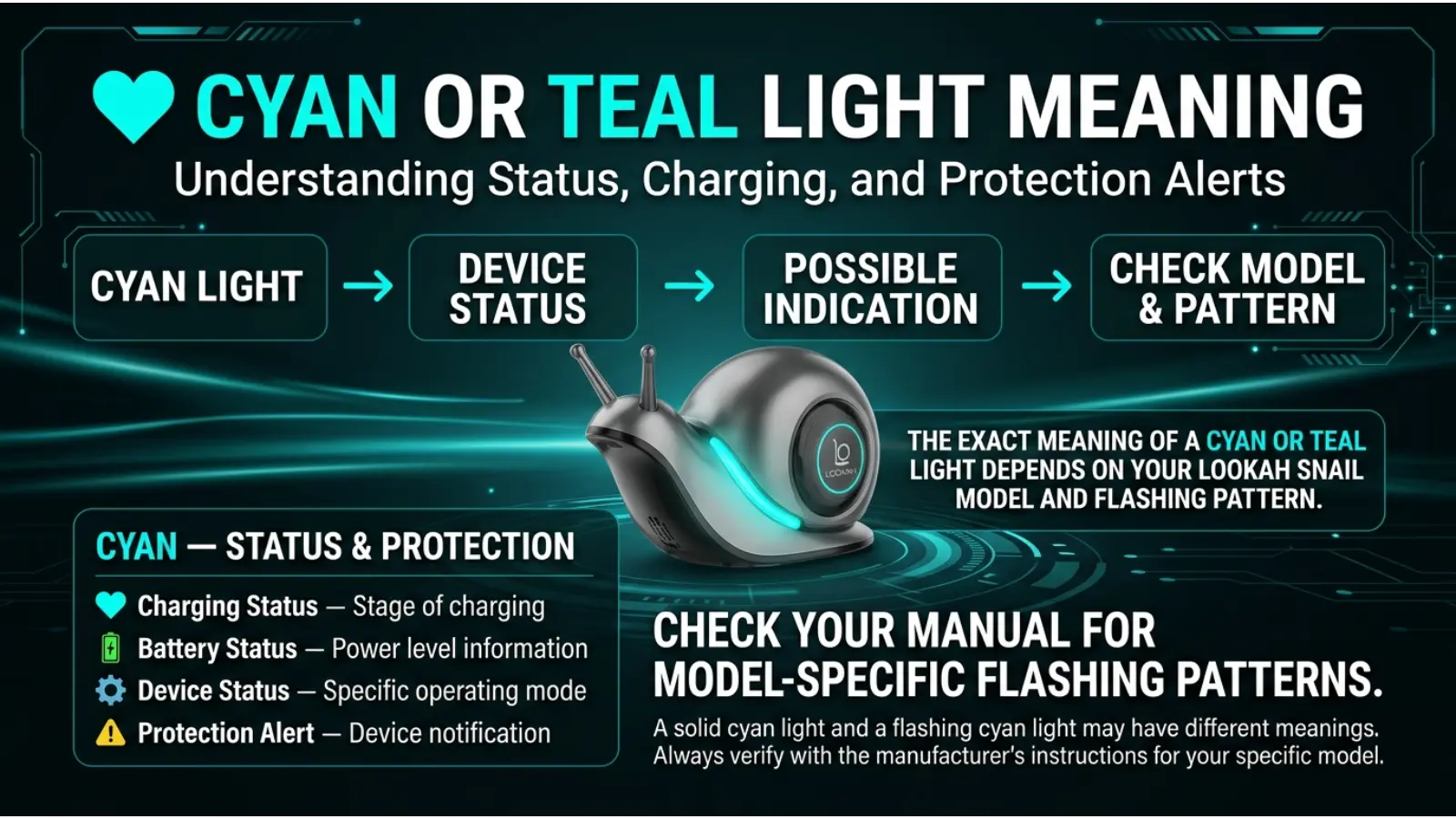
Cyan or Teal Light Meaning
Some Lookah Snail models may use cyan or teal flashing lights as a protection warning.
This may indicate an output overload or another electrical protection response.
Because LED systems can differ between versions, the exact meaning should be checked against the instructions for the specific Snail model.
If a cyan or teal warning repeatedly appears, avoid ignoring it.
Instead:
- Stop using the device temporarily
- Check the cartridge connection
- Allow the device to cool
- Inspect the cartridge for damage
Persistent warning lights can indicate that the device or cartridge needs further attention.
Green and Blue Lights: Preheat Mode Meaning
On many Lookah Snail 2.0 devices, the preheat mode is shown by alternating green and blue lights.
Preheating is designed to warm the cartridge before normal use.
This can be helpful when the material inside the cartridge is thick or when cooler temperatures make the material flow more slowly.
Why Does Preheating Matter?
Temperature affects viscosity.
When some materials become cold, they may become thicker.
A short preheat cycle can help prepare the cartridge.
However, repeated heating can increase temperature. Therefore, preheat should not be used unnecessarily.
How Lookah Snail Voltage Colors Work
The voltage colors are not symbolic colors.
They are part of a control system.
A common Lookah Snail 2.0 color sequence is:
🔵 Blue → Low Voltage
🟣 Purple → Medium Voltage
⚪ White → High Voltage
Each color provides immediate feedback about the selected power level.
Why Use Colors Instead of Numbers?
The Snail has a compact body.
A full display would require more space and additional components.
LED colors provide a simple solution.
The user can quickly recognize the selected mode without reading a screen.
This is a practical example of color being used in product design and user experience.
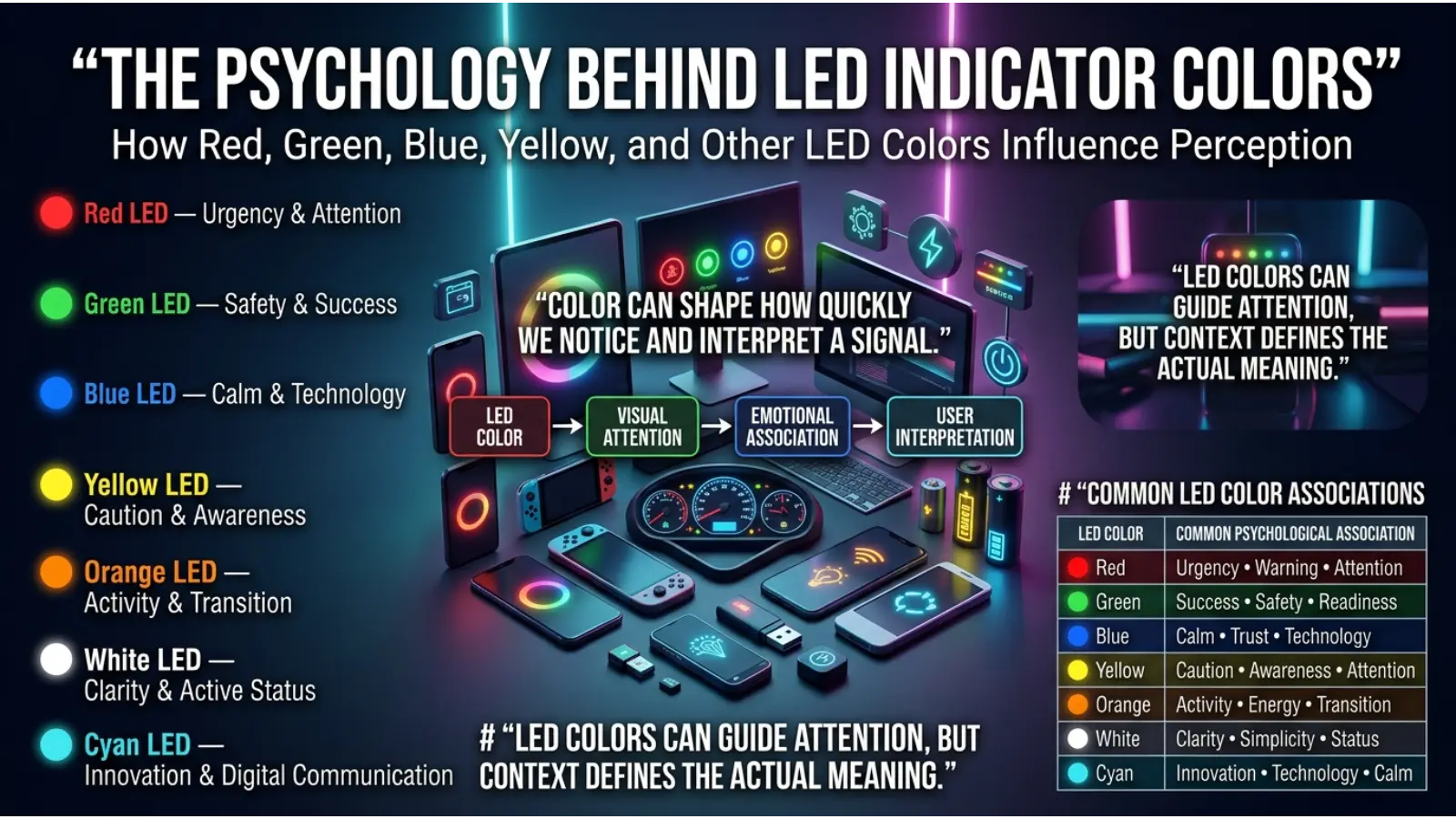
The Psychology Behind LED Indicator Colors
The Lookah Snail colors are primarily functional. However, the colors also benefit from common psychological associations.
For example:
Red and Attention
Red is highly noticeable.
For this reason, electronic devices often use red for:
- Low battery warnings
- Errors
- Charging
- Alerts
People often associate red with urgency and attention.
Green and Positive Status
Green is commonly associated with:
- Success
- Completion
- Safety
- Readiness
Therefore, using green for a fully charged battery is easy for many people to understand.
Blue and Stability
Blue is often perceived as calm and stable.
In technology, blue LEDs are frequently used for normal operating modes.
However, these associations do not mean that the Lookah Snail’s voltage settings have emotional or spiritual meanings.
The colors are mainly functional design choices.
Do Lookah Snail Colors Have Spiritual Meanings?
No established spiritual meaning is built into the Lookah Snail LED system.
The colors are electronic indicators rather than spiritual symbols.
Still, people may personally associate colors with different emotions or symbolic ideas.
For example:
- Blue may be associated with calmness.
- Purple may be associated with mystery or creativity.
- White may be associated with clarity.
- Green may be associated with balance or renewal.
- Red may be associated with energy or warning.
These are general cultural and symbolic associations.
They should not be confused with the manufacturer’s intended technical meanings.
Why the Same Color Can Mean Different Things
One of the most confusing parts of LED indicators is that the same color can have different meanings depending on the situation.
For example, purple can indicate:
- A medium voltage setting when solid
- A temperature warning when flashing
Similarly, red can indicate:
- Charging
- Low battery
Therefore, color alone does not always provide the complete answer.
You should also consider:
- Is the light solid or flashing?
- How many times does it flash?
- Is the device charging?
- Did the light appear after pressing the button?
- Is the device unusually warm?
- Is a cartridge connected?
Context changes the meaning.
How Flashing Patterns Change Lookah Snail Color Meanings
A flashing light usually communicates something different from a solid light.
Solid Light
A solid light often indicates:
- Current voltage
- Normal operation
- Charging status
Flashing Light
A flashing light may indicate:
- A warning
- A battery problem
- Temperature protection
- A connection problem
- A safety feature
Therefore, counting flashes can sometimes help identify the problem.
Different Lookah models may use different flashing patterns, so the exact pattern should not be assumed to apply to every device.
How to Change the Voltage Color on a Lookah Snail
On many Lookah Snail models, pressing the power button twice quickly cycles through the voltage settings.
The LED color changes to show the selected level.
The common sequence is:
🔵 Blue → 🟣 Purple → ⚪ White
After reaching the highest setting, the device usually returns to the lowest setting.
The button controls can vary between models, so users should confirm the instructions for their specific device version.
Lookah Snail Color Meanings Troubleshooting Chart
| Light Situation | Possible Meaning | Practical Action |
|---|---|---|
| Solid Blue | Low voltage mode | Normal operation |
| Solid Purple | Medium voltage mode | Normal operation |
| Solid White | High voltage mode | Use carefully |
| Red While Charging | Battery charging | Wait for charging completion |
| Flashing Red | Low battery | Recharge device |
| Green | Fully charged | Disconnect charging cable when appropriate |
| Yellow Flashing | Circuit issue | Check cartridge and connection |
| Purple Flashing | Temperature protection | Allow device to cool |
| Cyan/Teal Flashing | Possible overload warning | Stop and inspect the connection |
| Green and Blue Alternating | Preheat mode | Wait for preheat cycle to finish |
Why Lighting Can Change the Appearance of Lookah Snail LEDs
The environment can affect how LED colors appear.
For example, a purple LED may look more blue in bright sunlight.
Likewise, a white LED may appear slightly blue or cool depending on its brightness.
Several factors can change color perception:
Ambient Light
Strong sunlight can make LEDs appear weaker.
Dark environments can make colors appear brighter.
Camera Settings
Phone cameras may change LED colors because of:
- White balance
- Exposure
- Automatic color correction
Viewing Angle
LED brightness can change depending on the angle from which you view the device.
Therefore, a color that looks blue in one situation may appear purple in another.
Why Device Versions Matter
Not every Lookah Snail version uses exactly the same indicator system.
Manufacturers may update:
- Voltage settings
- LED colors
- Charging indicators
- Safety alerts
- Flashing patterns
This means an online explanation for one Snail version may not perfectly match another.
Before assuming that a light is a malfunction, identify the exact model.
Look for:
- Snail
- Snail 2.0
- Model version
- Packaging information
- Device documentation
This can prevent unnecessary troubleshooting.
Common Misconceptions About Lookah Snail Colors
Misconception: Every Purple Light Means Overheating
This is incorrect.
A solid purple light may simply indicate a normal medium voltage setting.
The flashing pattern and device behavior provide additional information.
Misconception: Red Always Means Something Is Broken
Not necessarily.
Red can simply indicate that the battery is charging.
However, flashing red may indicate low battery.
Misconception: Green Always Means the Same Thing
Green commonly indicates a full charge, but indicator systems can vary between devices.
Always consider the model and situation.
Misconception: Higher Voltage Is Always Better
Higher voltage produces more power, but more power is not automatically better.
The best setting depends on the cartridge and the user’s preferences.
Misconception: LED Colors Have Spiritual Programming
The Lookah Snail LED system is designed for device communication.
Any spiritual interpretation of the colors is personal symbolism rather than a technical feature.
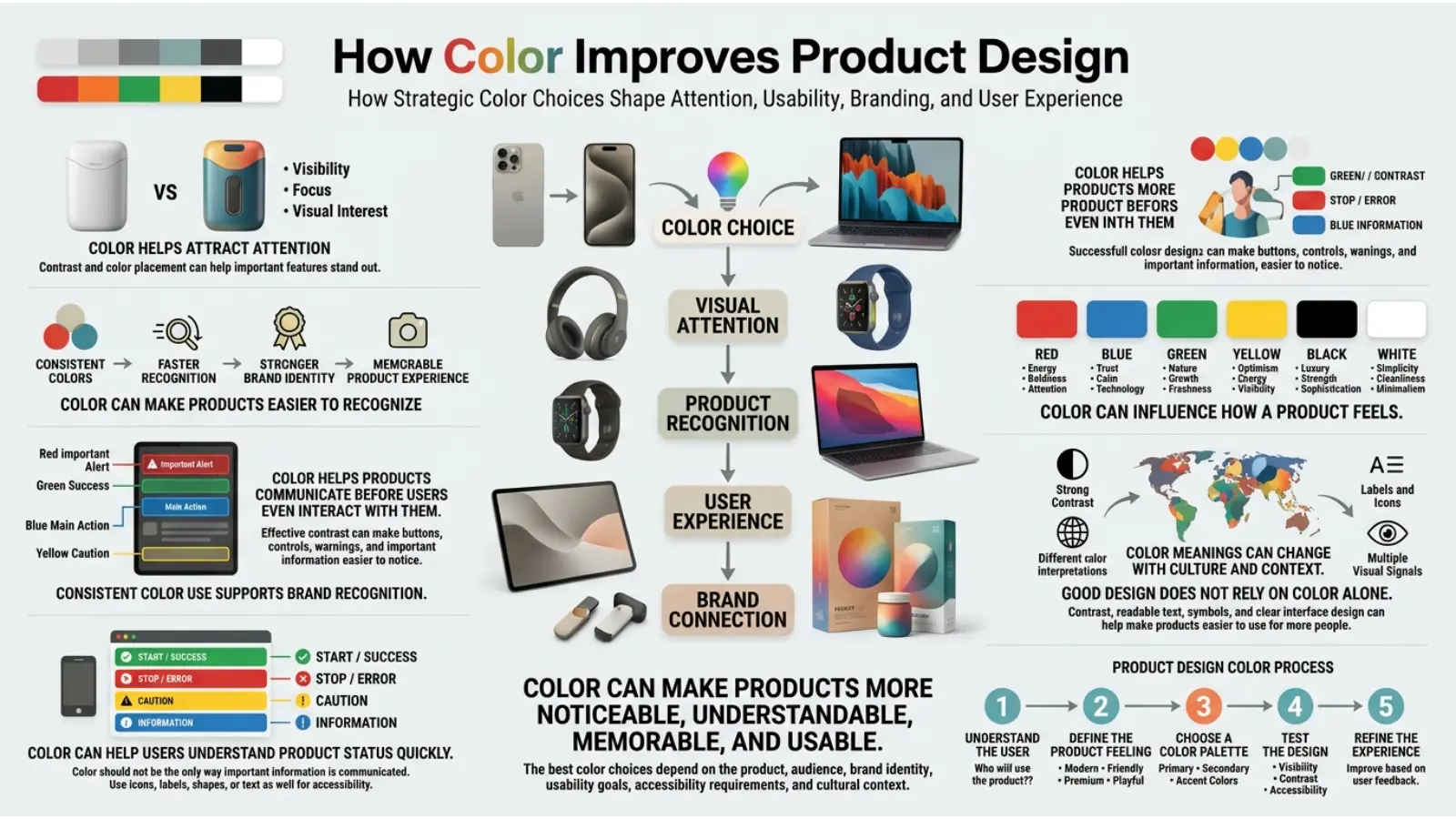
How Color Improves Product Design
The Lookah Snail provides an interesting example of practical color design.
Colors can communicate information faster than written instructions.
A user may immediately recognize:
🔴 Red = attention
🟢 Green = ready or complete
🔵 Blue = normal operating mode
This type of design is used in many everyday products, including:
- Smartphones
- Computers
- Vehicles
- Chargers
- Gaming devices
- Medical equipment
- Home appliances
The effectiveness of color depends on consistency.
When users repeatedly see red for warnings and green for successful completion, they learn the system more quickly.
Real-World Applications of LED Color Systems
LED colors are used far beyond vaping devices.
Electronics
Electronic devices use colors to show:
- Battery status
- Bluetooth connections
- Charging
- Errors
- Power
Cars
Dashboard warning lights use color to communicate urgency.
Red often indicates immediate attention.
Yellow commonly indicates caution.
Green and blue can indicate normal active systems.
Gaming
Gaming equipment uses RGB lighting to show:
- Battery level
- Profiles
- Connection status
- Game events
Home Technology
Smart devices may use color-changing lights to communicate:
- Internet status
- Setup progress
- Errors
- Notifications
The Lookah Snail follows the same basic design principle: color communicates information quickly.
How to Identify a Lookah Snail Warning Light
If an unfamiliar light appears, follow these steps.
Step 1: Check Whether the Device Is Charging
A red light during charging may be normal.
Do not assume that every red light indicates a malfunction.
Step 2: Check Whether the Light Is Flashing
A flashing pattern may indicate a warning.
Pay attention to the color and number of flashes.
Step 3: Check the Cartridge Connection
Remove the cartridge carefully.
Inspect the connection for dirt, damage, or liquid residue.
Step 4: Allow the Device to Cool
If the device feels unusually warm or displays a temperature warning, stop using it temporarily.
Step 5: Identify Your Exact Model
Different Snail versions may use different LED meanings.
The correct model information is essential for accurate troubleshooting.
Does Color Preference Affect How People Understand Device Lights?
Yes, color familiarity can influence how quickly people understand an LED system.
People learn color meanings through everyday experiences.
For example, traffic lights have trained many people to associate:
- Red with stopping or warning
- Green with proceeding
- Yellow with caution
Technology designers often use similar associations because they are already familiar.
However, color meanings are not universal.
Cultural background, age, personal experience, and accessibility needs can all influence how a person interprets color.
For this reason, the best product designs combine color with other information, such as flashing patterns, symbols, sounds, or written instructions.
Accessibility and LED Color Indicators
Color alone is not always easy for everyone to interpret.
People with color vision differences may find certain LED colors difficult to distinguish.
Blue and purple, for example, may appear similar under certain lighting conditions.
This is why flashing patterns and timing can also be useful.
When troubleshooting the Lookah Snail, do not rely only on the color.
Also observe:
- Flashing behavior
- Number of flashes
- Device temperature
- Charging status
- Button actions
This provides a more complete understanding.
Lookah Snail Color Meanings and Everyday Color Symbolism
The technical meaning of an LED color and its cultural symbolism are different things.
For example:
| Color | Technical LED Meaning | Common Symbolic Association |
|---|---|---|
| Blue | Low voltage setting | Calmness and trust |
| Purple | Medium voltage or warning | Creativity and mystery |
| White | High voltage setting | Clarity and simplicity |
| Red | Charging or low battery | Energy and urgency |
| Green | Full charge | Growth and success |
| Yellow | Circuit warning | Attention and caution |
The symbolic meanings developed through culture and human experience.
The technical meanings are assigned by product designers.
Sometimes the two overlap because designers choose colors that people already recognize.
Frequently Asked Questions
What do the colors mean on a Lookah Snail?
The colors usually indicate voltage settings, charging status, preheat mode, or device warnings. The exact meaning can vary depending on the Lookah Snail model.
What does the blue light mean on a Lookah Snail?
Blue commonly represents the lowest voltage setting on many Lookah Snail 2.0 devices.
What does the purple light mean on the Lookah Snail?
A solid purple light commonly represents the medium voltage setting. However, flashing purple may indicate a temperature protection warning on some models.
What does the white light mean on a Lookah Snail?
White commonly indicates the highest voltage setting.
Why is my Lookah Snail flashing red?
Flashing red commonly indicates a low battery. Charging the device may resolve the warning.
Why is my Lookah Snail light green?
Green commonly indicates that the battery has finished charging.
What does yellow flashing mean on a Lookah Snail?
Yellow flashing may indicate a connection or circuit problem. Check the cartridge and device connection carefully.
What do alternating green and blue lights mean?
On many Lookah Snail 2.0 devices, alternating green and blue lights indicate that preheat mode is active.
Why does the same Lookah Snail color have different meanings?
The meaning can change depending on whether the LED is solid or flashing and what the device is doing at that moment.
Which Lookah Snail voltage setting should I use?
The appropriate setting depends on the cartridge and device version. Lower settings use less power, while higher settings generate more heat. Starting at the lowest available setting is generally the most cautious approach.
Final Thoughts on Lookah Snail Color Meanings
Understanding Lookah Snail color meanings makes the device easier to use and troubleshoot. The LED colors are not decorative alone—they provide useful information about voltage, charging, preheating, battery status, and potential safety warnings.
For many Lookah Snail 2.0 devices, blue represents a lower voltage setting, purple represents a middle setting, and white represents a higher setting. Meanwhile, red and green are commonly connected with battery and charging status. Flashing yellow, purple, or cyan lights may indicate that the device needs attention.
The most important lesson is that context changes color meaning. A solid light can indicate normal operation, while the same color flashing may signal a warning. Lighting conditions and device versions can also affect what you see.
Once you understand the LED system, the Lookah Snail becomes a useful example of how color works in modern technology. A small light can communicate a large amount of information—quickly, visually, and without the need for a screen.

Emma Wilson is a dedicated comparison writer and product researcher at ColorMystiic.com. She specializes in creating unbiased product comparisons, detailed reviews, and helpful buying guides. Her goal is to help readers make smarter purchasing decisions with confidence.