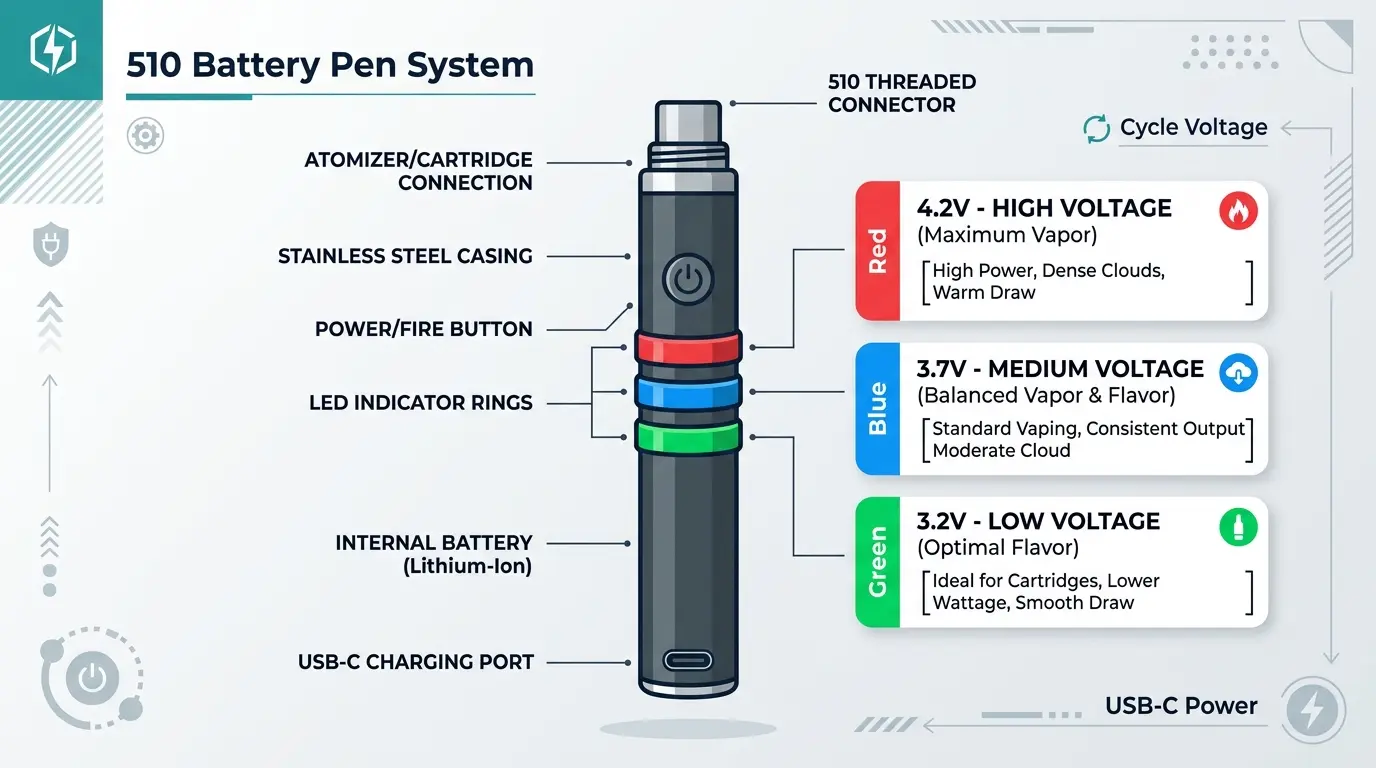
A 510 battery is one of the most common battery types used with compatible vape cartridges, oil cartridges, and other 510-thread devices. Many models use a small LED light to communicate information such as charging status, battery level, connection problems, or operating mode. That is why people search for 510 battery color meanings when a light suddenly changes from green to red, flashes several times, or stays on while charging.
The key point is simple: 510 battery LED colors do not have one universal meaning. Manufacturers use different colors, flash patterns, and button behaviors. A green light may indicate a full battery on one model but a normal operating mode on another.
This guide explains the most common 510 battery light colors, what they often indicate, how flashing patterns change their meaning, and why you should always compare the light pattern with your specific battery’s instructions.
Quick Answer: What Do 510 Battery Colors Mean?
In general, red often means low battery or charging, yellow or orange can indicate medium charge, and green may indicate a high or full charge. However, these meanings vary by manufacturer. Flashing lights can also signal a connection problem, short circuit, overheating, or another device warning.
| LED Color or Pattern | Common Meaning | Important Note |
|---|---|---|
| 🔴 Red | Low battery or charging | Depends on the model |
| 🟠 Orange/Yellow | Medium battery or charging stage | Not universal |
| 🟢 Green | High/full battery or ready | May indicate normal operation |
| 🔵 Blue | Operating mode or activation | Model-specific |
| 🟣 Purple | Special voltage/mode or status | Less common |
| ⚪ White | Status or activation | Manufacturer-specific |
| 🔴 Flashing | Error, low battery, or connection issue | Count the flashes |
| 🟢 Solid | Ready, charged, or active | Check the manual |
| Multiple flashes | Protection or error signal | Pattern matters |
The safest answer is that 510 battery color meanings are model-specific. Use the color together with the number of flashes and the manufacturer’s instructions rather than assuming every 510 battery follows the same color code.
Why 510 Battery LED Colors Matter
The LED on a 510 battery acts like a small communication system. Instead of displaying words or numbers, the device uses color, timing, and flashing patterns to tell you what is happening.
For example, a solid light during charging may show that the battery is receiving power. After charging, the light may change color or turn off. During use, a flashing LED may indicate that the battery has detected a problem.
Because these devices have limited display space, color becomes a quick visual signal.
However, color alone is not enough. The same red LED can mean different things depending on when it appears.
A red light while charging is different from a red light that flashes repeatedly when the device is activated.
Common 510 Battery Color Meanings
Red Light Meaning
A red light commonly indicates a low battery, charging, or a warning condition.
On some batteries, red appears when the battery needs charging. On others, red is simply the first charging indicator.
If the light turns red while the battery is connected to a charger, it often means charging is in progress. If it becomes green after some time, the battery may have reached its full-charge state.
Still, this should not be treated as a universal rule.
Orange or Yellow Light Meaning
Orange or yellow lights are sometimes used to represent a middle battery level.
For example, a battery may use a three-stage system:
- Red = low
- Orange = medium
- Green = high
This makes the color system easy to understand at a glance.
Nevertheless, many 510 batteries do not use orange or yellow at all. Some manufacturers use these colors for charging modes, voltage settings, or other functions.
Green Light Meaning
A green LED commonly represents a high or full battery level.
It may also indicate that the battery is ready to operate. On some models, a green light after charging means charging is complete.
For that reason, seeing green is usually a positive status, but it does not automatically prove that the battery is completely charged.
Blue Light Meaning
A blue light can have several meanings.
Some devices use blue to identify a particular voltage setting or operating mode. Others use it as a normal activation indicator.
Because blue is often associated with a specific device function rather than battery percentage, it is especially important to check the model’s instructions.
Purple Light Meaning
Purple is less common on basic 510 batteries.
When present, it may represent a special voltage level, mode selection, or device status. It should not automatically be interpreted as a battery percentage.
White Light Meaning
White LEDs can also appear on some rechargeable devices. Depending on the design, white may indicate activation, charging, a selected mode, or another operating condition.
There is no reliable universal definition for white.
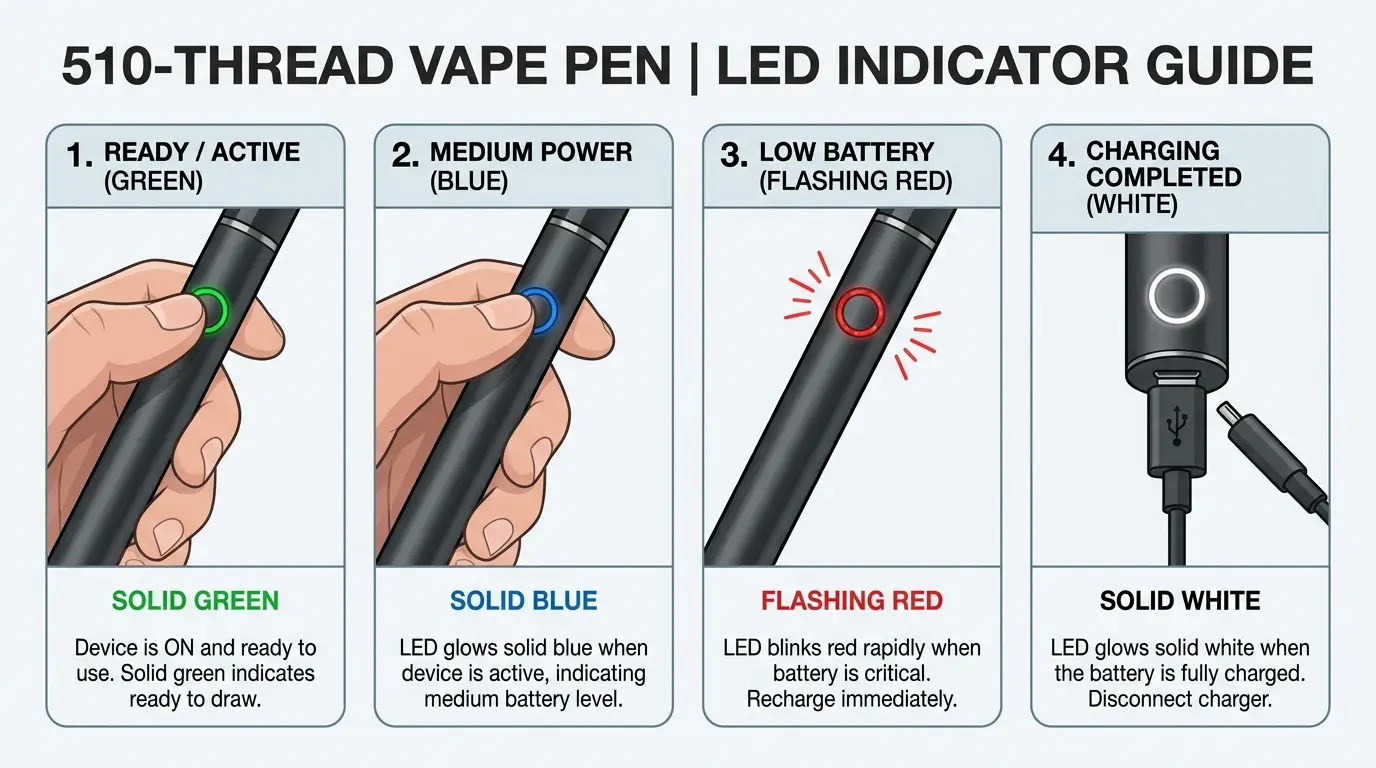
510 Battery Flashing Light Meanings
The flashing pattern may be more important than the color itself.
A battery that flashes once may be communicating something completely different from one that flashes five times.
Common patterns can include:
- One flash: activation or status confirmation
- Several flashes: battery protection or connection warning
- Repeated flashing: low battery or operational error
- Rapid flashes: possible protection response
- Light staying on: activation or charging status
These are only common examples. Do not diagnose a specific fault from the number of flashes alone unless the manufacturer documents that pattern.
Why Flash Counts Matter
Think of the LED as a simple code.
A solid red light might mean one thing, while red-red-red followed by a pause may communicate something else. The timing creates additional information.
Therefore, when troubleshooting a 510 battery, record:
- The LED color
- Whether it is solid or flashing
- Number of flashes
- Whether it happens during charging or use
- Whether a cartridge is attached
- Whether the battery button is pressed
That information makes the problem much easier to identify.
510 Battery Charging Light Meanings
Charging is one of the most common reasons people notice changing LED colors.
A typical charging sequence may look like this:
Connected to charger → red/orange light → charging → green light or light turns off
However, manufacturers can use completely different sequences.
Some batteries show a red light throughout charging and turn the light off when charging finishes. Others change colors as the battery approaches a higher charge level.
Real-Time Example
Imagine you connect a 510 battery to its charger at 9:00 PM.
At first, the LED becomes red. At 10:15 PM, it is still red. 11:00 PM, the light turns green.
On a model that uses red for charging and green for completed charging, this suggests that charging has finished.
However, if another manufacturer uses red as a general status light, the same sequence could mean something else.
The real-time lesson is that the color must be interpreted in context.
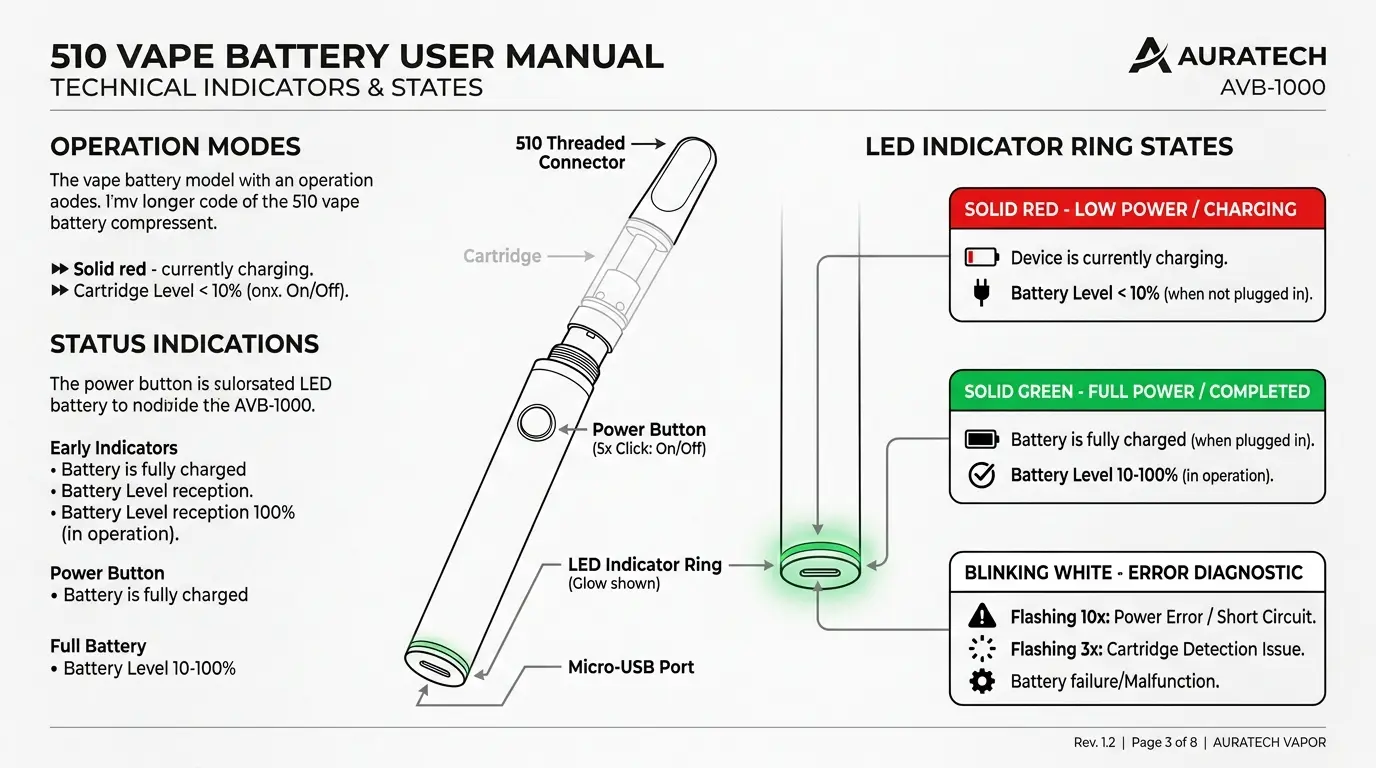
510 Battery Green Light but Not Working
One common situation is seeing a green light while the device does not appear to operate normally.
Green does not necessarily mean that every part of the system is functioning correctly.
Possible causes can include:
- Poor cartridge connection
- Dirty contact points
- Incompatible cartridge
- Battery protection mode
- Faulty cartridge
- Internal battery problem
- Incorrect operating procedure
Before assuming the battery is defective, check whether the cartridge is compatible with the battery and whether the connection area is clean and undamaged.
Do not force a cartridge into place.
510 Battery Red Light While Charging
A red light during charging is commonly normal.
In many designs, it simply tells you that the battery is currently receiving a charge.
However, unusual behavior deserves attention. If the device becomes unusually hot, smells unusual, appears damaged, or behaves differently from its normal charging pattern, disconnect it from power and follow the manufacturer’s safety instructions.
A charging LED should never be used as the only safety check.
510 Battery Flashing When Cartridge Is Attached
If a battery works differently when a cartridge is attached, the connection between the battery and cartridge may be relevant.
The 510 connection relies on electrical contact between compatible components. If the connection is poor, the device may respond with a flashing light.
Possible causes include:
- Incorrect connection
- Poor contact
- Debris
- Damaged threads
- Incompatible components
- A problem detected by the battery’s protection circuit
Avoid scraping or aggressively cleaning electrical contacts. Follow the manufacturer’s cleaning instructions instead.
Does Every 510 Battery Use the Same Color Code?
No.
This is one of the most important facts about 510 battery color meanings.
There is no single industry-wide color dictionary that makes every 510 battery’s LED behavior identical.
One manufacturer might use:
Red = charging
while another might use:
Red = low battery
A third device might use red for a completely different status.
Therefore, online color charts should be treated as general guidance rather than a guaranteed diagnostic system.
Battery Color vs. Voltage Setting
Some 510 batteries allow users to select different voltage or temperature settings.
In these models, different colors may represent different settings rather than different battery levels.
For example, a manufacturer could assign separate LED colors to low, medium, and high output settings.
This creates an important distinction:
Battery level tells you how much stored energy remains. Voltage or power mode tells you how the device is configured to operate.
Those are two different pieces of information.
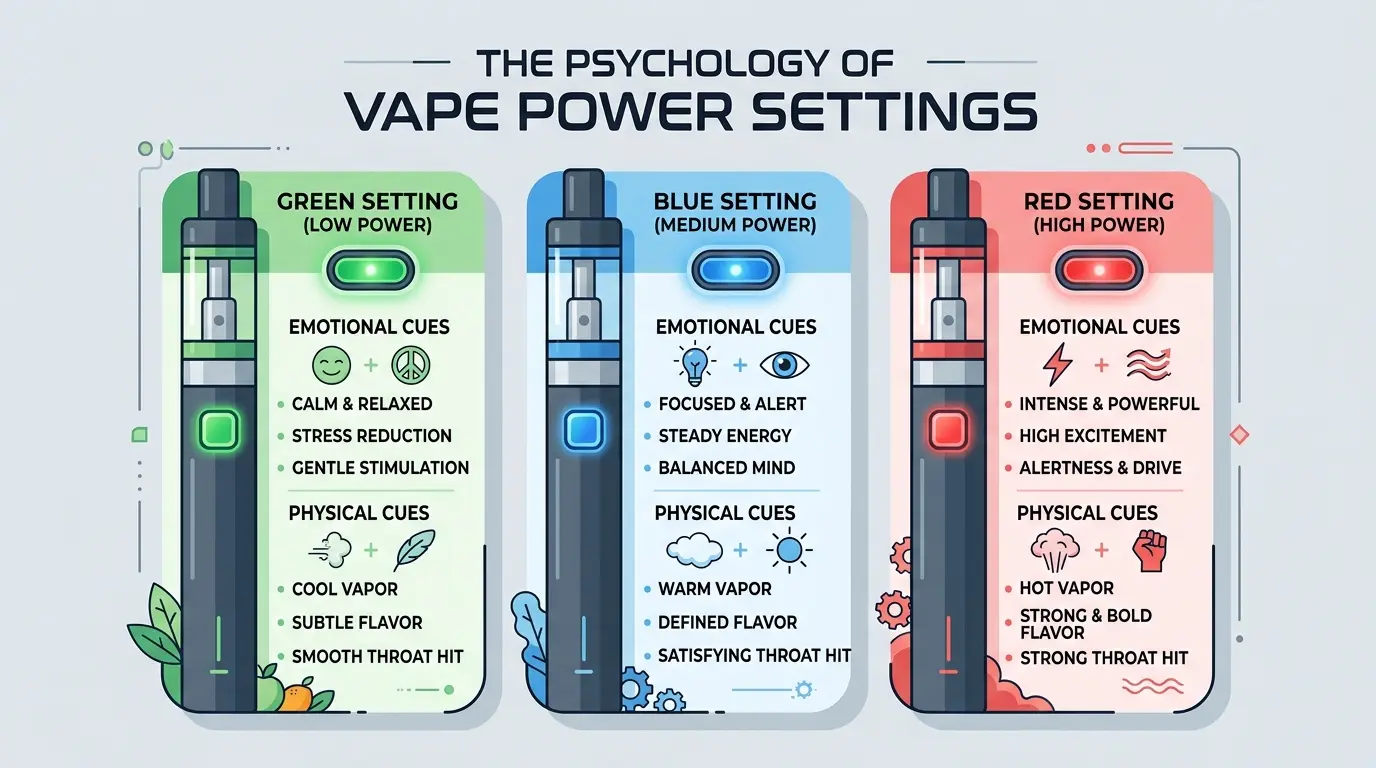
Psychology of LED Colors on 510 Batteries
The color choices used in electronic devices are partly practical and partly based on familiar visual conventions.
Red often attracts attention because people commonly associate it with caution, stopping, or low status. Green is frequently perceived as positive, ready, or complete. Yellow and orange naturally sit between these extremes and can suggest an intermediate state.
These associations are useful for interface design, but they do not prove that a particular 510 battery uses the colors in the same way.
In other words, color psychology can explain why a manufacturer might choose a particular color, but the product manual determines what that color actually means.
Are 510 Battery Color Meanings Scientific?
Not in the sense of having one scientifically established color code.
Color perception is studied in psychology and human-computer interaction, but there is no universal scientific rule saying that every rechargeable 510 battery must use red for low power or green for full power.
Instead, manufacturers create their own user-interface systems.
That distinction matters because symbolic meaning and technical meaning are different.
Symbolic meaning: green may feel like “good.”
Technical meaning: the manufacturer may program green to indicate a particular battery level or operating mode.
Spiritual Meaning of 510 Battery Colors
A 510 battery’s LED colors generally do not have an established universal spiritual meaning.
People may personally associate red with energy, blue with calmness, or green with balance. Those are symbolic interpretations rather than technical functions of the battery.
It is useful to keep personal symbolism separate from documented device information.
If someone uses color spiritually or creatively, the meaning can be meaningful to them without being presented as a universal religious teaching.
Cultural Interpretations of LED Colors
Color meanings can change between cultures.
Green may commonly suggest success, safety, or nature in one context. Red can represent danger in a technical interface but celebration or good fortune in another cultural setting.
Because electronic products are sold internationally, manufacturers often choose familiar traffic-light-style signals because they are quickly understood.
Still, cultural interpretation is not the same as the technical programming of a device.
Historical Development of Battery Indicator Colors
Modern electronic indicator lights developed alongside increasingly compact electrical devices.
As screens became smaller or disappeared from simple consumer products, LEDs provided an inexpensive way to communicate basic status information.
The familiar progression of red, yellow, and green also connects with traffic signaling and other visual systems where users learn that different colors represent different states.
However, 510 battery manufacturers are not required to follow one historical color standard.
510 Battery Color Meanings Chart
The following chart is useful as a general reference, not a universal manufacturer code.
| Color/Pattern | Common Interpretation | Confidence |
|---|---|---|
| Red solid | Charging or low battery | Common |
| Orange/yellow | Medium charge or intermediate mode | Model-dependent |
| Green solid | Full/high charge or ready | Common |
| Blue | Operating mode or voltage setting | Model-dependent |
| Purple | Special mode/status | Less common |
| White | Status/activation | Model-dependent |
| Red flashing | Low battery, error, or protection | Highly model-dependent |
| Multiple flashes | Connection/protection signal | Highly model-dependent |
| Light turns off | Charging complete or inactive state | Model-dependent |
Best practice: always compare the chart with the instructions supplied for your exact battery.
Color Meanings in Branding and Product Design
Although a 510 battery is a small electronic product, its LED interface follows the same design principles used in many consumer electronics.
Manufacturers want users to understand a status quickly without reading a screen.
A simple color system reduces the amount of information the user has to process.
For example, if green consistently means “ready,” users can recognize that state almost instantly. If red consistently indicates a problem or low power, it draws attention to the need for action.
This is a form of visual communication design, not merely decoration.
510 Battery Colors in Everyday Use
Color indicators can help users answer basic questions quickly:
Is the battery charging?
Is the battery ready?
Does it need attention?
Has a setting changed?
The LED therefore functions like a tiny dashboard.
However, relying entirely on memory can cause mistakes because different products use different codes. Keeping the manufacturer’s instructions nearby is more reliable than using a generic internet chart.
Lighting Can Change How LED Colors Look
Ambient lighting can affect how people perceive small LEDs.
A green LED may appear brighter in a dark room. A pale blue indicator can look almost white under strong lighting. Reflections from glossy surfaces can also make a small light appear larger or brighter.
For accurate identification, view the LED under normal lighting and compare it with the manufacturer’s documented indicator.
This is especially useful when two colors are visually similar.
Age and Color Interpretation
People learn color conventions through everyday experiences.
For example, many people become familiar with red meaning “stop” and green meaning “go.” These learned associations can make electronic indicators easier to understand.
However, users can interpret unfamiliar color systems differently, particularly when a manufacturer uses unusual colors for technical functions.
Clear labeling and consistent design therefore remain important.
Personality Associations With Different LED Colors
Color preferences can sometimes be connected with broad symbolic personality ideas, but they should not be treated as personality tests.
Someone who likes blue might associate it with calmness. Someone who prefers red might connect it with energy. Another person may simply like a particular color because it looks attractive.
Similarly, choosing a 510 battery with a particular LED color does not reveal someone’s personality.
Preference is influenced by design, familiarity, culture, mood, and personal taste.
510 Battery Color Combinations
When designing or customizing an electronic product, color combinations can influence how quickly users recognize information.
Red and Green
This is one of the easiest combinations to understand because it resembles familiar stop-and-go systems.
Red, Yellow, and Green
A three-color progression can communicate low, medium, and high status clearly.
Blue and Green
This combination can create a calm, modern interface, although the technical meanings must remain clearly defined.
Purple and White
These colors can create a premium or futuristic visual impression, but they require clear documentation because their technical meanings are less universally understood.
Common Misconceptions About 510 Battery Colors
Myth 1: Green Always Means Fully Charged
Not necessarily.
Green may mean fully charged, ready, active, or another status depending on the model.
Myth 2: Red Always Means the Battery Is Dead
No.
Red can indicate charging, low battery, or another warning.
Myth 3: Five Flashes Always Mean the Same Thing
No universal flash code exists across all 510 batteries.
The exact pattern depends on the manufacturer.
Myth 4: A Color Chart Works for Every 510 Battery
Generic charts are useful starting points, but they cannot replace the instructions for the exact device.
Myth 5: Color Tells You Everything About Battery Health
No.
An LED can communicate a basic status, but it cannot necessarily identify battery capacity, internal condition, or every possible electrical problem.
Practical Troubleshooting Guide
If the LED behavior seems unusual, work through the basics carefully.
Step 1: Identify the Exact Battery
Look for the brand, model, or product name.
Step 2: Observe the Pattern
Write down the color and whether the light is solid or flashing.
Step 3: Count the Flashes
If the LED flashes, count how many times it flashes before the pattern repeats.
Step 4: Identify When It Happens
Does the light appear while charging, when activating the battery, or immediately after connecting a cartridge?
Step 5: Check Compatibility
Make sure the attached component is designed for the battery.
Step 6: Consult the Manufacturer’s Instructions
Use the exact documentation for that model rather than relying on a generic color chart.
Step 7: Stop if the Device Behaves Unsafely
If a battery becomes unusually hot, visibly damaged, swollen, leaks, or behaves abnormally, stop using it and follow the manufacturer’s safety guidance.
Real-World Example: Understanding a Flashing LED
Suppose someone attaches a compatible cartridge and presses the battery button. The LED flashes several times, but the device does not operate as expected.
A quick internet search might say that the color means “low battery.”
That conclusion could be wrong.
The correct approach is to observe the complete signal:
Color + number of flashes + timing + situation
If the battery shows a different light when no cartridge is attached, the connection between the battery and cartridge may be relevant.
This example shows why 510 battery color meanings should never be interpreted from color alone.
How Designers Can Make Battery Indicators Easier to Understand
For manufacturers, the best indicator systems are simple and consistent.
A good design should:
- Use clearly different colors
- Keep flash patterns predictable
- Provide written instructions
- Avoid using too many similar colors
- Explain unusual warning signals
- Consider users with color-vision differences
- Provide non-color indicators when possible
This last point is especially important. A user who cannot easily distinguish red from green should not have to depend on color alone.
Combining color with flash count, timing, vibration, or written instructions creates a more accessible system.
FAQ About 510 Battery Color Meanings
What does a red light mean on a 510 battery?
It commonly indicates charging or a low battery, but the exact meaning depends on the manufacturer and model.
What does a green light mean on a 510 battery?
Green often indicates a high or full battery level or that the device is ready. However, some models use green for other functions.
Why is my 510 battery flashing?
Flashing can indicate low power, a connection issue, a protection feature, or another status condition. The number and timing of flashes are important.
Why does my 510 battery turn red when charging?
Many batteries use red to show that charging is in progress. Check your specific model because manufacturers use different indicator systems.
What does a blue light mean on a 510 battery?
Blue may represent a voltage setting, operating mode, activation, or another status. There is no universal blue-light definition.
Does green always mean a 510 battery is fully charged?
No. Green often represents a full or high charge, but it can have a different meaning on some devices.
Why does my 510 battery flash when I connect a cartridge?
The flashing may indicate a connection problem, an incompatible component, or a protection response. Check the manufacturer’s troubleshooting instructions.
Are 510 battery color meanings universal?
No. There is no single universal color code for every 510 battery.
How can I find the exact meaning of my battery’s LED?
Identify the exact brand and model, then check its instruction manual or official product documentation. The exact flash pattern is often as important as the color.
Can LED colors tell me whether a battery is safe?
No. LED indicators provide limited status information. They cannot replace visual inspection, proper charging practices, or manufacturer safety instructions.
Final Thoughts on 510 Battery Color Meanings
Understanding 510 battery color meanings is less about memorizing one universal chart and more about learning how your particular device communicates.
Red commonly suggests charging or low power, while green often indicates a higher charge or ready state. Orange, yellow, blue, purple, and white can represent different levels or functions depending on the manufacturer. Meanwhile, flashing patterns can communicate warnings that a simple color chart cannot explain.
The most useful rule is therefore simple: treat color as a clue, not a universal code.
When you combine the LED color with its flashing pattern, the situation in which it appears, and the instructions for your exact model, you can interpret the indicator much more accurately. That approach also prevents one of the most common mistakes: assuming that every 510 battery follows the same color system.
In everyday product design, color works best when it is clear, consistent, and supported by other information. The same principle applies to 510 batteries. A small LED may seem simple, but its color, timing, and behavior together form a compact visual language.

Emma Wilson is a dedicated comparison writer and product researcher at ColorMystiic.com. She specializes in creating unbiased product comparisons, detailed reviews, and helpful buying guides. Her goal is to help readers make smarter purchasing decisions with confidence.