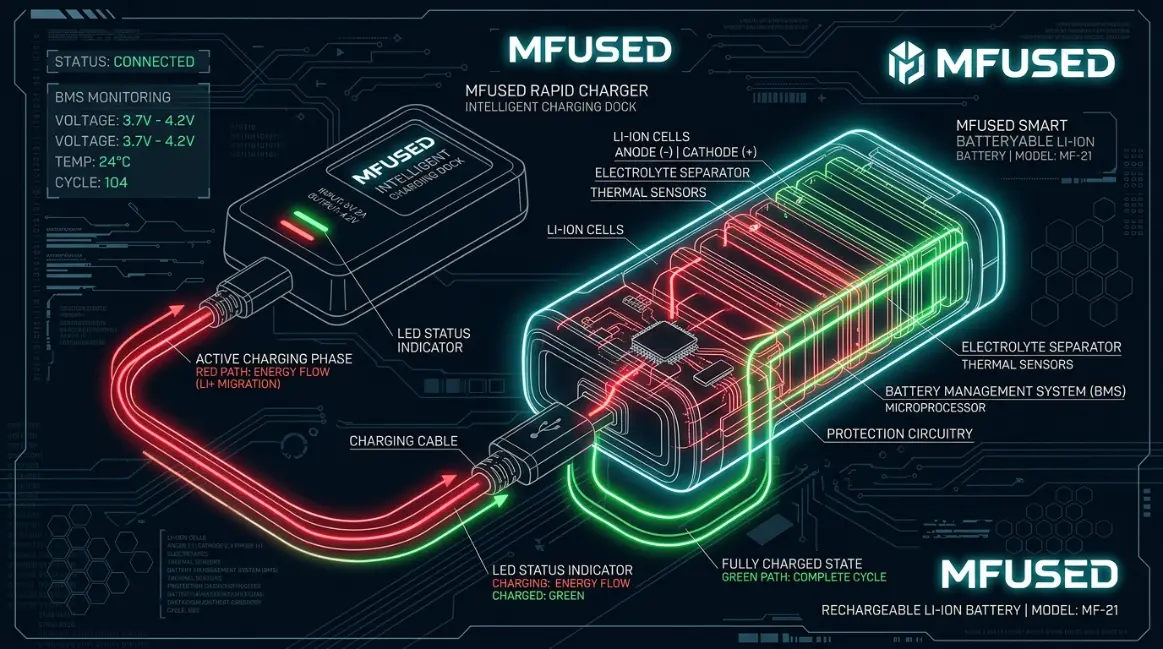
If you have an MFUSED battery or smart device, you may have noticed that its indicator changes colors. Green, blue, and red lights can look simple, but they may communicate different settings or functions.Understanding MFUSED battery color meanings can help you recognize temperature settings, heating modes, and other device signals.
However, there is one important detail: MFUSED has produced several battery and device models, so the exact meaning of a light can vary from one model to another.
This guide explains the commonly reported MFUSED battery color meanings in simple language. You will learn what green, blue, and red commonly indicate, how temperature settings work, why battery body colors are different from indicator lights, and how to avoid common misunderstandings.
Quick Answer
On MFUSED devices that use the commonly reported three-color temperature system:
- 🟢 Green: Low temperature
- 🔵 Blue: Medium temperature
- 🔴 Red: High temperature
- 🔄 Warm-up/Cold Start: Temporary heating function
Some MFUSED battery models commonly use approximately 2.8V for green, 3.2V for blue, and 3.6V for red, although the exact settings can vary by model.
MFUSED Battery Color Meanings Chart
| MFUSED Light Color | Common Meaning | Approx. Voltage | Heat Level | General Use |
|---|---|---|---|---|
| 🟢 Green | Low temperature | About 2.8V | Low | Gentler heating and flavor |
| 🔵 Blue | Medium temperature | About 3.2V | Medium | Balance of vapor and flavor |
| 🔴 Red | High temperature | About 3.6V | High | More heat and vapor |
| 🔄 Warm-up | Temporary heating | Model dependent | Temporary | Helps warm the oil |
| ⚪ Other lights | Model dependent | Varies | Varies | Check the device instructions |
Important: This chart describes the commonly reported system. Your particular MFUSED model may use different indicators.
What Does Green Mean on an MFUSED Battery?
Green Usually Means Low Heat
On MFUSED batteries that use the three-color temperature system, green commonly represents the lowest temperature setting.
A lower temperature generally produces less intense heating. As a result, users may notice a smoother experience and more emphasis on flavor.
Low heat can also help prevent unnecessary overheating. More heat does not automatically mean better performance.
Why Is Green Used for Low Heat?
Green does not physically mean “low temperature.” Instead, it is a design choice.
Technology products frequently use green to represent normal, gentle, or lower-intensity operation. Because people already recognize these associations, green can feel intuitive when used as a low-temperature indicator.
What Does Blue Mean on an MFUSED Battery?
Blue Usually Means Medium Heat
Blue commonly represents the middle temperature setting on MFUSED batteries that use a three-color system.
Some commonly reported MFUSED batteries associate blue with approximately 3.2V.
Medium heat sits between the lower and higher settings. Therefore, it may provide a balance between vapor production and a smoother heating experience.
Why Can Blue Be Confusing?
One common mistake is confusing a blue-colored battery with a blue indicator light.
MFUSED batteries have been available in many body colors, including blue, green, red, purple, black, white, orange, pink, and other shades.
The body color does not automatically tell you the temperature setting.
For example, a blue MFUSED battery can still operate on a low or high temperature setting.
What Does Red Mean on an MFUSED Battery?
Red Usually Means High Heat
On the commonly reported three-color system, red generally represents the highest temperature setting.
Some MFUSED battery guides associate red with approximately 3.6V.
Higher heat can produce more vapor because the heating element operates at a higher level. However, higher heat does not necessarily mean better flavor or a better overall experience.
Does Red Mean the Battery Is Dead?
Not necessarily.
This is one of the most common misunderstandings about MFUSED battery colors.
A red light can mean different things depending on when it appears and what the device is doing.
For example, red may indicate high temperature when you are changing settings. A light shown during charging may have a completely different meaning.
Therefore, do not assume that every red light means low battery.
MFUSED Battery Temperature Settings Explained
Temperature settings control how strongly the heating element operates.
The basic system can be understood as:
Green → Low Heat → Blue → Medium Heat → Red → High Heat
Low Temperature
Low heat provides a gentler heating experience.
It may be useful when you want to prioritize flavor and avoid unnecessarily strong heating.
The trade-off is that vapor production can be lower.
Medium Temperature
Medium heat provides a middle ground.
It can produce more vapor than the lowest setting while remaining less intense than the highest setting.
For many users, this makes medium heat a practical starting point.
High Temperature
High heat produces stronger heating and can create larger vapor clouds.
However, stronger heating may also change the flavor and consume material more quickly.
Therefore, higher temperature does not automatically equal better quality.
MFUSED Battery Color Meanings vs. Battery Body Colors
This is one of the most important distinctions to understand.
There are two different types of color involved:
1. Battery Body Color
This is the physical color of the device.
It may be:
- Black
- Blue
- Green
- Red
- Purple
- White
- Pink
- Orange
- Yellow
- Teal
These colors are primarily related to product design and appearance.
2. Indicator Light Color
This is the LED or display color that appears while the device is operating.
The indicator can communicate:
- Temperature
- Heating
- Charging
- Warm-up
- Battery status
- Another device function
Therefore, a red battery is not automatically a high-temperature battery.
The physical color and indicator color should always be treated separately.
How MFUSED Battery Controls Work
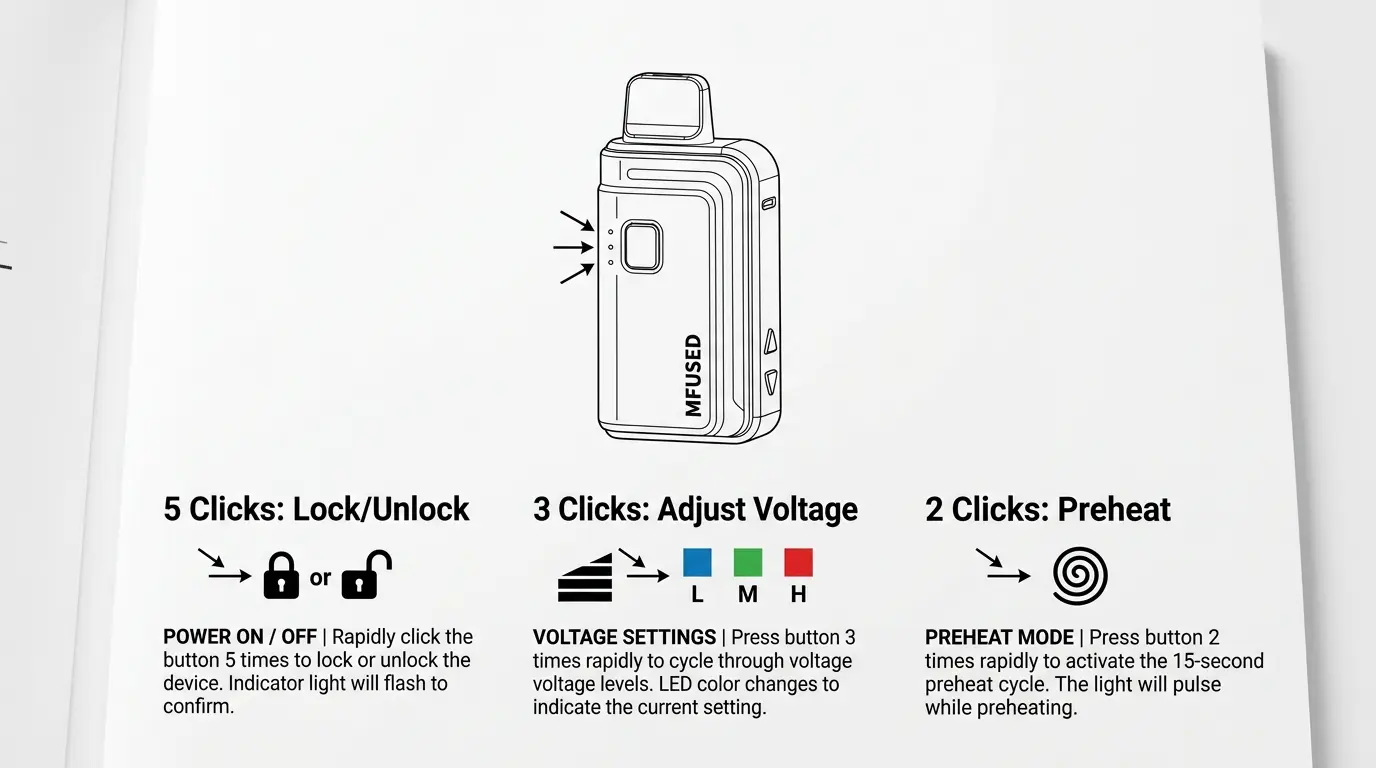
Different MFUSED models can use different controls, but some newer button-operated devices use simple tap patterns.
Common functions may include:
- 5 taps: Turn the device on or off
- 3 taps: Change temperature
- 1 tap: Check temperature
- 2 taps: Activate warm-up or Cold Start
These controls can vary between models, so always consider the exact device you own.
Why Button Patterns Matter
The color becomes much easier to understand when you know what action caused it.
For example, if you press the temperature button and the indicator changes from blue to red, the red light is likely communicating a temperature change.
Without knowing what you pressed, however, the same red light could be interpreted incorrectly.
What Is MFUSED Cold Start?
Cold Start is a heating function designed to help warm material before normal operation.
It is different from simply selecting green, blue, or red.
A warm-up function may be particularly useful when the device has been sitting in a cool environment or when material has become difficult to move through the heating area.
Think of Cold Start as a temporary heating process, rather than another permanent color level.
Why MFUSED Battery Colors Can Differ Between Models
This is where many online color charts become confusing.
MFUSED has produced different generations of batteries and devices. Features, controls, displays, charging systems, and indicator lights can therefore vary.
Older batteries may use simple LED indicators.
Newer devices may include:
- USB-C charging
- Battery monitoring
- Temperature controls
- Digital displays
- Heating timers
- Cold Start functions
Because hardware changes over time, there is no reason to assume that every MFUSED device uses exactly the same color system.
The Best Rule
If your device behaves differently from a general MFUSED color chart, trust the instructions for your exact model.
Psychology of MFUSED Battery Colors
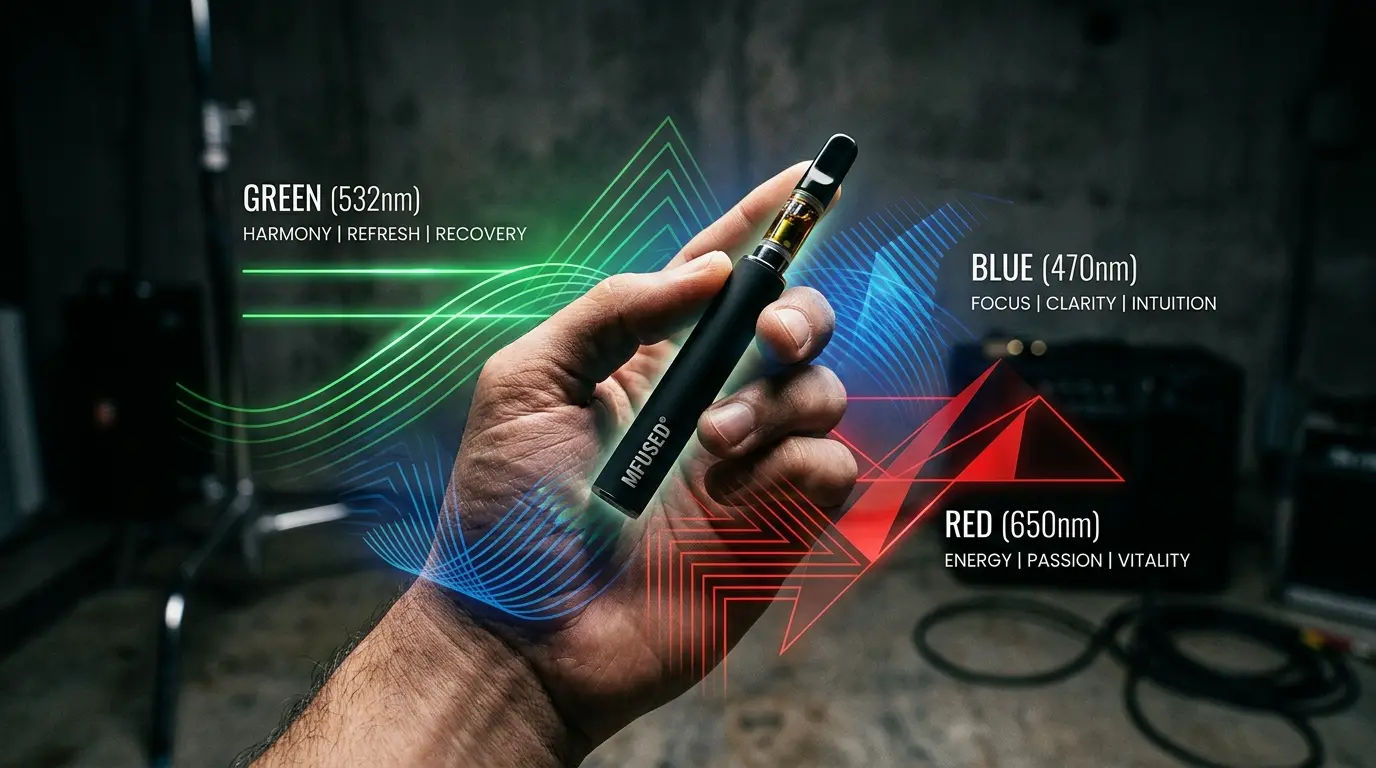
Although MFUSED battery colors are primarily functional, color psychology helps explain why certain colors make sense in a device interface.
Green and Lower Intensity
Green is widely associated with normal operation, permission, balance, and lower risk.
That makes it a natural visual choice for a lower setting.
However, this is a psychological association rather than a physical property of the color.
Blue and Balance
Blue is frequently used in technology because people often associate it with calmness, reliability, and clarity.
A medium setting represented by blue can therefore feel neutral and balanced.
Red and Intensity
Red attracts attention quickly.
It is commonly associated with heat, energy, warnings, urgency, and high intensity.
For that reason, red works well as a visual signal for a high-temperature setting.
The important point is that the electronics create the temperature, while the color simply communicates the selected state.
Do MFUSED Battery Colors Change the Effects?
The color itself does not create an effect.
Instead, the device setting represented by the indicator can change how the heating element operates.
For example, changing from green to red on a compatible temperature-controlled device can increase the heat level.
The difference comes from the electrical setting, not from the LED color.
Likewise, the color of the outside of the battery does not determine what is inside a cartridge or device.
MFUSED Battery Color Meanings and Charging
Charging indicators can be particularly confusing.
A temperature indicator and a charging indicator do not necessarily use the same color meanings.
For example, if red means high heat during normal operation, that does not automatically mean red means the same thing while the device is charging.
Newer devices may also use battery displays or different charging indicators.
Therefore, always consider what the device is doing when the light appears.
Real-Time Example: Understanding an MFUSED Color Change
Imagine you are using an MFUSED battery with green, blue, and red temperature indicators.
You press the temperature-control button three times.
The indicator changes from blue to red.
What happened?
The color change is likely telling you that the device moved from a medium setting to a higher setting.
Now imagine that the same device displays a red light while connected to a charger.
You should not automatically conclude that the device is using high heat.
The context is different.
This example shows why color + action + timing are more useful than color alone.
How Lighting Can Change MFUSED Indicator Colors
Small LED lights can look different depending on the environment.
For example, an indicator may appear:
- Brighter in a dark room
- Less noticeable in direct sunlight
- Slightly different through colored plastic
- Harder to distinguish when several colors are close together
This can make blue and green particularly difficult to tell apart in some situations.
If you cannot identify the color confidently, use the device’s controls and behavior rather than guessing.
Can Age or Culture Change How People Interpret MFUSED Colors?
Yes.
People learn color meanings from their surroundings.
Someone familiar with smartphones, gaming devices, and electronic equipment may quickly understand that red often signals high intensity.
Another person may interpret the same color simply as decoration.
Cultural experiences also influence color symbolism. For example, red can represent celebration in some cultures while representing danger or warning in others.
However, a device manufacturer can establish its own functional meaning regardless of cultural symbolism.
That is why MFUSED’s device instructions matter more than general cultural color meanings.
MFUSED Battery Colors in Branding and Product Design
Color also plays an important role in product branding.
Bright and varied colors can help products stand out on shelves, websites, and social media.
A colorful product can communicate:
- Variety
- Energy
- Modern design
- Personal style
- Flavor identity
- Youthful appeal
- Product differentiation
However, branding colors should not be confused with functional colors.
A colorful battery body may be chosen because it looks attractive, while the tiny indicator light may have a completely different technical purpose.
MFUSED Battery Colors in Everyday Use
The easiest way to understand your device is to ask three questions.
Question 1: What color is the device body?
This tells you about its appearance.
Question 2: What color is the indicator?
This may tell you about temperature or another function.
Question 3: When does the light appear?
This helps you determine whether it is communicating:
- Temperature
- Charging
- Heating
- Warm-up
- Battery status
- Another device function
This approach is much more reliable than memorizing a single color chart.
Common Misconceptions About MFUSED Battery Colors
“Red Always Means the Battery Is Almost Dead”
Not necessarily.
Red may indicate a high temperature setting on compatible devices.
Battery status depends on the particular model and the situation in which the light appears.
“A Blue MFUSED Battery Always Runs at Blue Temperature”
No.
The exterior color of the battery does not determine its operating temperature.
“Green Always Means the Battery Is Fully Charged”
Not necessarily.
Charging indicators vary between models.
“Red Produces Stronger Effects”
The color itself does not.
A higher temperature setting may change vapor production and heating behavior, but the LED color is only communicating that setting.
“Every MFUSED Device Uses the Same Color Chart”
No.
Different MFUSED generations can use different controls and indicators.
“The Battery Color Tells You What Is Inside”
No.
The external color is primarily a design feature and should not be used to identify the contents of a device.
Practical Tips for Reading MFUSED Battery Colors
When you see an unfamiliar indicator, follow this simple process:
The Step 1: Identify your exact MFUSED model.
Step 2: Notice what you were doing when the light appeared.
Step 3: Check whether you had just pressed a button.
The Step 4: Determine whether the device was charging.
Step 5: Compare the indicator with the instructions for your model.
Step 6: Avoid assuming that a color has the same meaning in every situation.
This method prevents many common mistakes.
Safety Considerations
Rechargeable batteries should always be handled carefully.
Avoid using a device that appears physically damaged, unusually hot, swollen, or otherwise unsafe.
Do not expose rechargeable batteries to extreme temperatures.
Also, follow the manufacturer’s instructions for charging and operation.
If a device behaves unexpectedly, stop using it until you can determine whether the behavior is normal for that model.
Responsible use matters more than memorizing a color chart.
Frequently Asked Questions
What does green mean on an MFUSED battery?
Green commonly indicates the lowest temperature setting on MFUSED batteries that use the three-color temperature system.
What does blue mean on an MFUSED battery?
Blue commonly represents the medium temperature setting.
What does red mean on an MFUSED battery?
Red commonly indicates the highest temperature setting on compatible MFUSED batteries.
Does red mean my MFUSED battery is dead?
No. Red can represent high temperature, depending on the model and when the indicator appears.
Does the color of an MFUSED battery determine its temperature?
No. The physical color of the battery and the indicator light are different things.
Why does my MFUSED battery have different colors?
Different MFUSED models can use different designs, controls, and indicator systems.
What does Cold Start mean on an MFUSED device?
Cold Start is a temporary heating function designed to warm the material before normal operation.
Why does my MFUSED device have a screen?
Some newer devices use digital displays to provide more information than a simple colored LED.
Is high temperature always better?
No. Higher heat can produce more vapor, but it can also change flavor and consume material more quickly.
How can I know what my MFUSED light means?
Identify your exact model, consider what the device was doing when the light appeared, and follow the instructions provided for that model.
Final Thoughts on MFUSED Battery Color Meanings
MFUSED battery color meanings are primarily functional signals rather than traditional color symbolism.
On commonly documented three-color systems, green generally represents low heat, blue represents medium heat, and red represents high heat. However, these meanings should not automatically be applied to every MFUSED device.
The most reliable approach is to consider the color, the action that triggered it, and the device’s current function.
Remember that a red battery casing is not necessarily the same thing as a red indicator light. Likewise, a red light during temperature selection may communicate something different from a red light during charging.
Once you understand this difference, MFUSED battery indicators become much easier to read.
Instead of asking only, “What does this color mean?”, ask:
“What is my device doing right now, and why is it showing this color?”
That small change in thinking can make the entire indicator system much easier to understand.

Emma Wilson is a dedicated comparison writer and product researcher at ColorMystiic.com. She specializes in creating unbiased product comparisons, detailed reviews, and helpful buying guides. Her goal is to help readers make smarter purchasing decisions with confidence.