If you are looking for Owlet sock color meanings, you are probably trying to understand what the different lights on an Owlet sock and Base Station mean. Unlike traditional color symbolism, these colors are not mainly about personality, emotions, spirituality, or culture. They are part of a visual notification system that helps parents understand the device’s status.
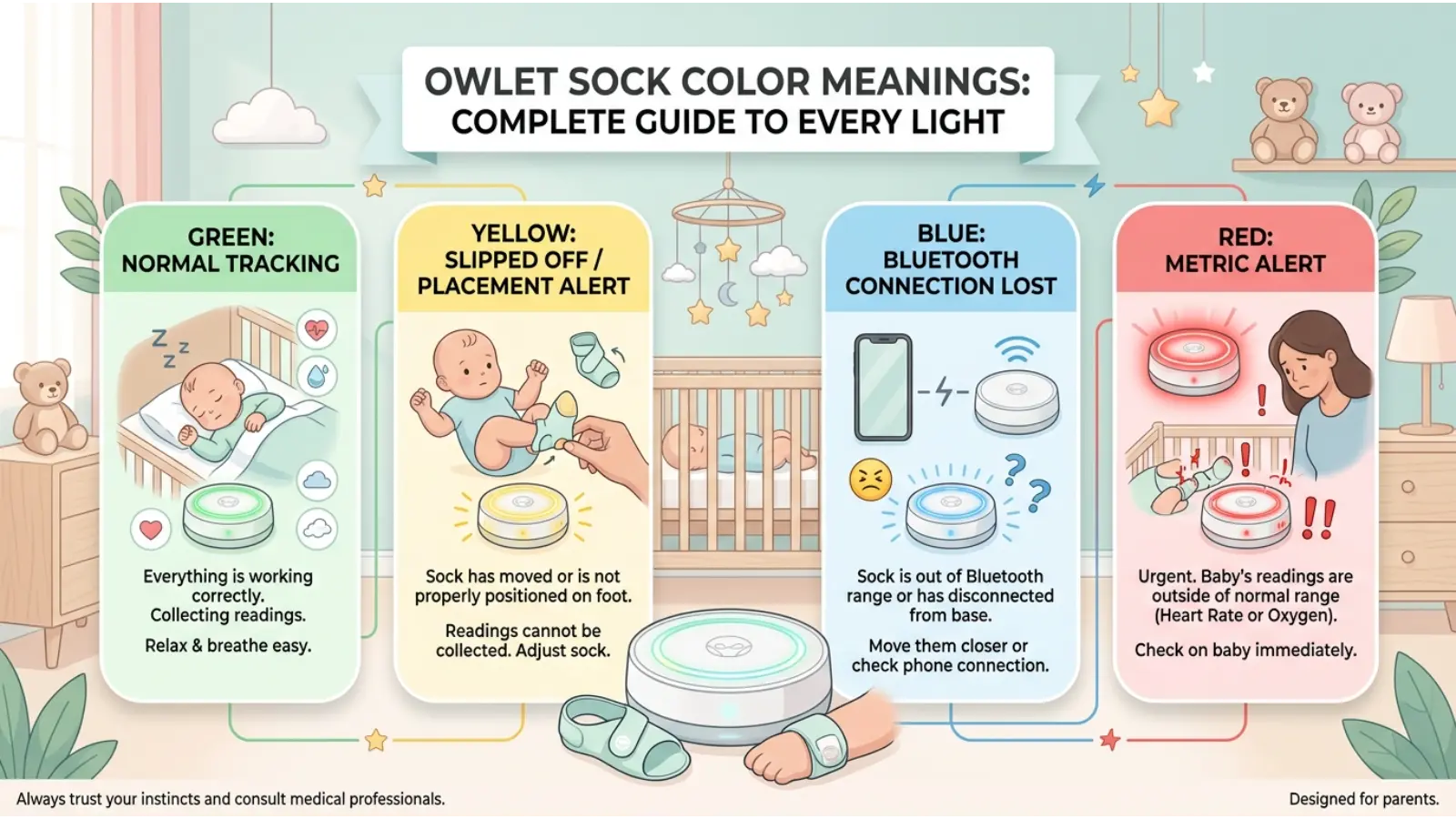
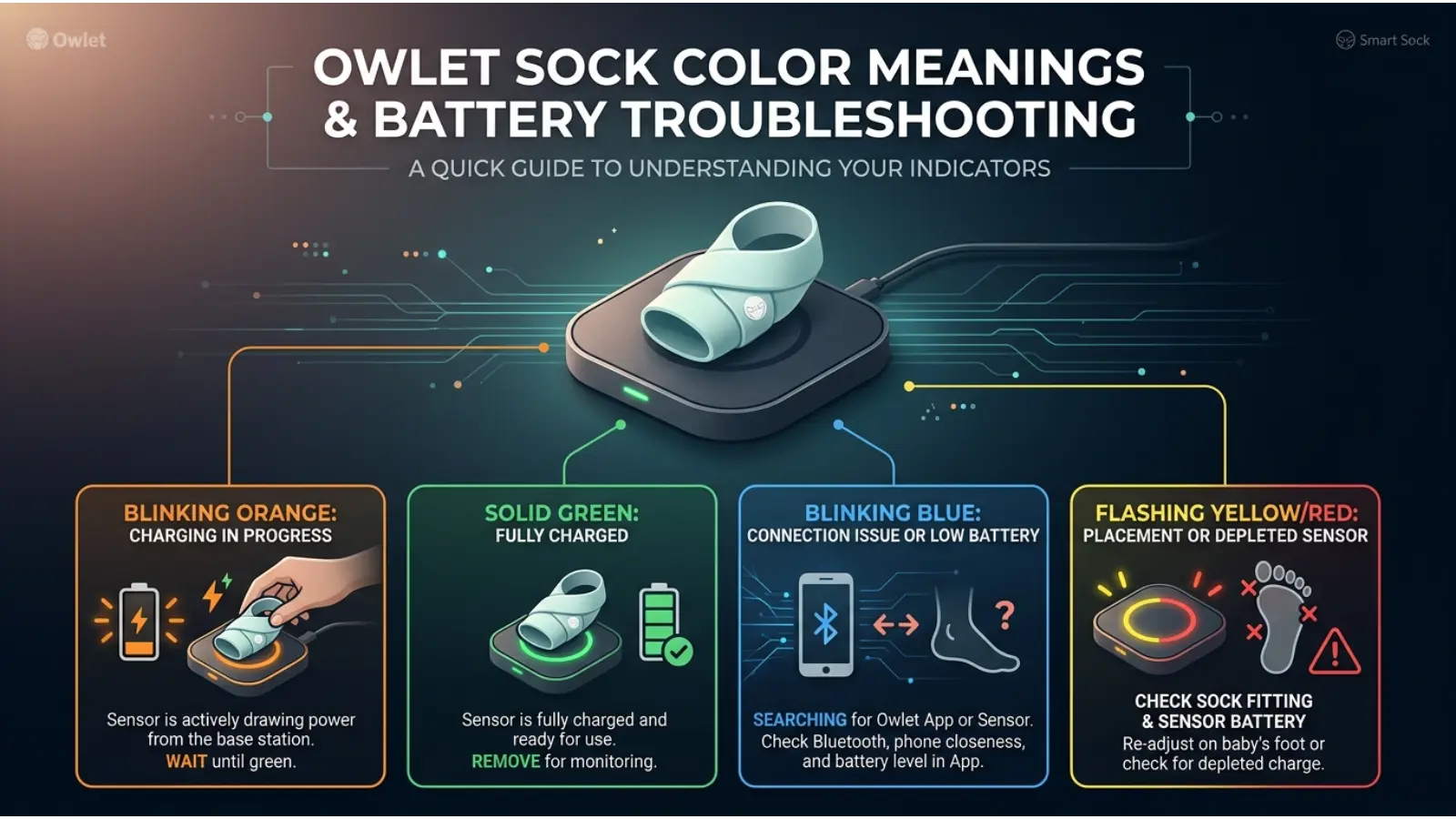
A green light can indicate normal monitoring, while yellow may point to a sock-positioning issue. Blue can be connected with battery or communication problems, and red can indicate a notification that deserves immediate attention. Other colors, such as lavender and white, can have specific meanings depending on the Owlet model and light pattern.
Because Owlet products can differ by generation and configuration, the color, light pattern, and device model should always be considered together.
This guide explains Owlet sock color meanings, what each color generally indicates, what you can check when a color appears, and why the same color can have a different meaning in another context.
Quick Answer: What Do Owlet Sock Colors Mean?
The most commonly recognized Owlet sock color meanings can be summarized like this:
| Owlet Color | General Meaning | What to Check |
|---|---|---|
| 🟢 Green | Normal monitoring or obtaining readings | Continue monitoring |
| 🟡 Yellow | Sock placement or fit issue | Check sock position |
| 🔵 Blue | Battery or communication issue | Check battery and connection |
| 🔴 Red | Health-related notification on supported systems | Check your baby promptly |
| 🟣 Lavender | Extended movement or possible sleep disruption | Check your baby and sleep environment |
| ⚪ White | Charging or pairing status | Check charging or connection |
| 🟠 Orange | Pairing or Base Station issue on applicable models | Check sensor pairing |
Important: These colors are device signals, not universal color-symbolism meanings. The exact meaning can depend on the Owlet model and the light pattern.
Owlet Sock Green Light Meaning
Green is generally the most reassuring color in the Owlet notification system.
A green light can indicate that the device is successfully obtaining readings. On supported systems, a pulsing green light can indicate that monitored readings are within the device’s applicable preset ranges.
What does a green Owlet light mean?
A green light generally tells you that the system is operating normally or is successfully obtaining information from the sock.
This makes green different from the traditional psychological meaning of green. In everyday color symbolism, green can represent nature, growth, peace, or safety. On an Owlet device, however, its meaning is much more specific.
Here, green is part of a technical communication system.
Why is my Owlet green?
Your Owlet may appear green when:
- The sock is properly connected.
- The sensor is obtaining readings.
- The monitored values are within applicable preset ranges.
- The system is operating normally.
If the green light is moving rather than remaining steady, the movement pattern can provide additional information.
Owlet Sock Yellow Light Meaning
Yellow usually tells you to check the sock rather than immediately assume there is a health problem.
A yellow notification can occur when the sock is not positioned correctly, has moved, or is no longer making proper contact.
What should you check when Owlet turns yellow?
Start with the sock itself.
Check:
- Whether the sock is still on your baby’s foot.
- Whether it has shifted.
- Whether the sensor is positioned correctly.
- Whether the fit is appropriate.
- Whether your baby has moved enough to disturb the sock.
This simple check can often explain a yellow notification.
Does yellow mean my baby is sick?
Not necessarily.
One of the most common mistakes when interpreting Owlet sock color meanings is assuming every unusual color represents a medical problem.
Yellow can instead be related to positioning, fit, or monitoring conditions.
Owlet Sock Blue Light Meaning
Blue can be associated with a battery or communication problem.
If the sock cannot communicate properly with the Base Station, the system may use a blue notification to attract your attention.
Why does my Owlet turn blue?
Possible reasons include:
- Low sensor battery.
- Communication interruption.
- The sock being too far from the Base Station.
- Physical obstacles interfering with communication.
- A sensor that needs charging.
The first thing to do is check the battery and the distance between the sock and Base Station.
What should I do when Owlet is blue?
Try these steps:
Step 1: Check the sensor battery.
Step 2: Make sure the Base Station is nearby.
The Step 3: Check whether anything is blocking communication.
Step 4: Make sure the sensor is properly connected.
Step 5: Check the app for a more detailed notification.
Blue is therefore better understood as a technical status signal, not an emotional color.
Owlet Sock Red Light Meaning
Red is the color that usually deserves the most attention.
On supported Owlet systems, a red notification can indicate that a monitored health reading has moved outside the device’s preset range.
What does a red Owlet light mean?
Depending on the system, a red notification can be associated with a monitored value such as:
- Pulse rate.
- Oxygen saturation.
- Another supported health notification.
If you see a red health notification, check your baby promptly.
Do not rely only on the color itself. Look at your baby and review the information available from the device.
Is a red Owlet light always an emergency?
No color from a consumer monitoring device should be treated as a diagnosis.
However, a red health notification should not simply be ignored.
If your baby appears seriously unwell, has difficulty breathing, is unusually unresponsive, or you are otherwise seriously concerned, seek appropriate medical assistance rather than waiting for the device to change color.
Owlet Sock Lavender Light Meaning
Lavender is one of the more unusual colors in the Owlet system.
It is generally associated with extended movement or possible sleep disruption.
Why does Owlet show lavender?
A lavender notification may appear when the system detects an extended period of movement.
Your baby could be:
- Awake.
- Moving frequently.
- Having difficulty settling.
- Experiencing an uncomfortable sleep environment.
The best response is to check on your baby and consider what may be causing the movement.
Lavender does not automatically mean that something is medically wrong.
Owlet Sock White Light Meaning
White commonly relates to charging or pairing.
This means that white should generally be interpreted as a device-status color rather than a health-reading color.
Depending on the light pattern, white can indicate that the sensor is:
- Charging.
- Fully charged.
- Pairing.
- Waiting for a connection.
If you see a white light and are unsure what it means, first consider what the sock is doing at that moment.
If it is sitting on the Base Station, charging is a logical possibility. I f you are setting up the system, pairing may be the relevant explanation.
Owlet Sock Orange Light Meaning
Orange can be associated with pairing or Base Station problems on applicable Owlet models.
For example, an orange light may indicate that the sensor and Base Station are not properly paired.
What should you do when Owlet is orange?
Check:
- Whether you are using the correct Base Station.
- Whether the sensor has been paired correctly.
- Whether you recently reset or changed the device.
- Whether the app is showing a setup notification.
Orange is therefore generally a device-setup signal, rather than a health warning.
Owlet Sock Color Meanings Chart
Use this chart as a quick reference when you cannot remember what a particular light means.
| Color | Meaning | Priority | First Response |
|---|---|---|---|
| Green | Normal monitoring or obtaining readings | Normal | Continue monitoring |
| Yellow | Sock placement or fit issue | Attention | Check the sock |
| Blue | Battery or communication issue | Attention | Check battery and connection |
| Red | Health notification on supported systems | High | Check your baby promptly |
| Lavender | Extended movement or sleep disruption | Attention | Check baby and surroundings |
| White | Charging or pairing status | Normal/Setup | Check charging or pairing |
| Orange | Pairing or Base Station issue | Setup | Check connection |
Remember that the exact behavior can vary between Owlet products. If your device displays an unusual pattern, identify the model before assuming what the color means.
Why Owlet Uses Color-Coded Notifications
Color is useful because it communicates information quickly.
Imagine checking the Base Station from across a dark nursery. You may not want to open your phone immediately just to discover whether everything is working normally.
A simple color gives you an instant visual clue.
Green can communicate normal status.
Yellow can tell you to check something.
Blue can draw attention to a technical problem.
Red can communicate a higher-priority notification.
This is an example of functional color design.
The colors are not chosen simply because they look attractive. They help turn complicated technical information into something easier to recognize.
Owlet Sock Colors vs. Traditional Color Meanings
This distinction is important.
Traditional color psychology often associates:
- Green with nature, growth, and balance.
- Blue with calmness and trust.
- Red with danger, energy, or excitement.
- Yellow with attention and optimism.
- White with cleanliness and simplicity.
- Purple with imagination or spirituality.
- Orange with energy and enthusiasm.
Owlet uses some of these colors in ways that overlap with common visual communication.
For example, red is often used for urgent warnings in many technologies.
However, you should not assume that every Owlet color has the same meaning as its traditional symbolic meaning.
The device’s instructions and notification system take priority.
Psychology Behind Owlet Sock Color Meanings
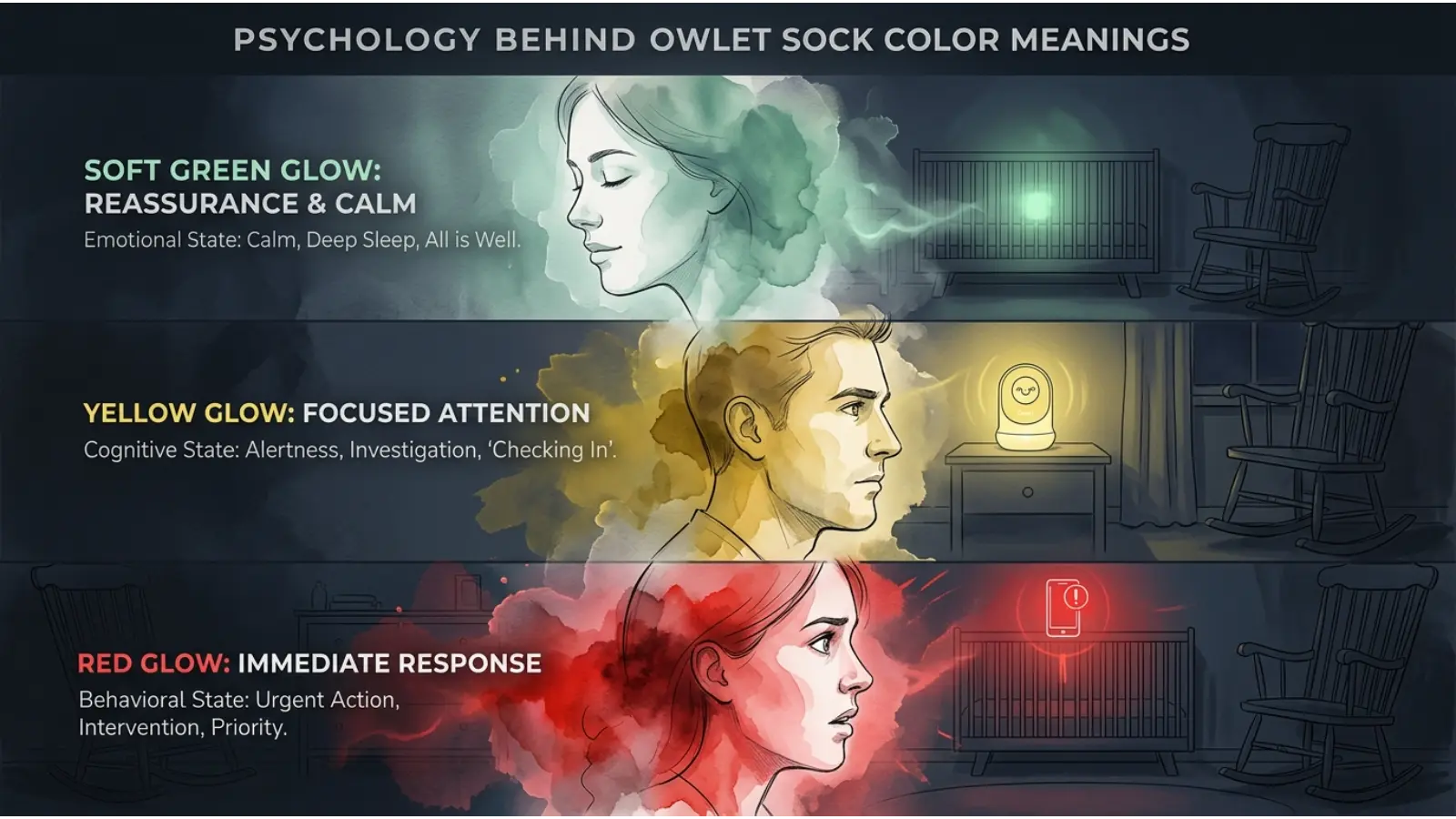
Color can influence how quickly people notice information.
A sudden red notification may feel more urgent because people commonly encounter red in warning systems, traffic signals, alarms, and error messages.
Similarly, green has become strongly associated with successful actions in many digital interfaces.
This does not mean that every person responds to color in exactly the same way. Personal experience, culture, age, lighting, and context can influence perception.
In the Owlet system, much of the psychological effect comes from learned association.
Once a parent learns that green usually means normal monitoring and red means a higher-priority notification, the brain can recognize the signal quickly.
Do Owlet Sock Colors Have Spiritual Meanings?
Not as part of the device’s intended function.
Some people may personally associate colors with spiritual ideas. For example, purple can represent spirituality in some traditions, while green may represent growth or renewal.
Those interpretations belong to cultural or personal symbolism.
They should not be confused with Owlet’s technical notification meanings.
If an Owlet light is red, for example, it should be interpreted according to the device’s notification system rather than as a spiritual symbol.
How Context Changes Owlet Sock Color Meanings
The same color can communicate different things in different situations.
Consider green.
In a traffic signal, green means go.
In a financial dashboard, green can represent a positive result.
If a hospital interface, green may represent a normal status.
On an Owlet device, green can indicate a normal monitoring state or that the system is obtaining readings.
The color itself has not changed.
The context has changed.
This is one of the most important principles of color communication.
How Light Patterns Change the Meaning
Color alone is not always enough.
A steady light, pulsing light, bouncing light, or flashing light may represent different states.
Therefore, when interpreting Owlet sock color meanings, pay attention to:
- Color.
- Flashing pattern.
- Light movement.
- Sound.
- App notification.
- What the sock is doing.
- Your exact Owlet model.
This is especially important when two notifications use the same color but different light patterns.
Real-Time Example: Understanding an Owlet Notification
Imagine your baby is sleeping at 2:00 a.m.
You look toward the Base Station and see a green light.
You understand that the system is operating normally or obtaining readings, so you continue your normal routine.
Later, the light becomes yellow.
Instead of immediately becoming alarmed, you check the sock. You notice that your baby has moved and the sock is no longer positioned correctly. You fix the placement and check the device again.
Now imagine a different situation.
The Base Station displays a red health notification. This time, you do not simply reposition the sock and go back to sleep. You check your baby promptly and review the notification.
This example shows why understanding the difference between technical notifications and health notifications matters.
Owlet Sock Color Meanings and Baby Sleep
Owlet’s color system can also provide information related to sleep behavior.
A lavender notification, for example, can draw attention to extended movement.
However, movement does not always mean something is wrong.
Babies naturally move during sleep. They may stretch, turn, wake briefly, or settle themselves.
Therefore, the best approach is to consider the notification alongside what you can actually observe.
Technology provides information.
Parents provide context.
Owlet Sock Color Meanings and Battery Problems
Battery-related notifications are easy to overlook.
If the sock is not adequately charged, the device may not be able to provide the expected monitoring experience.
A blue notification can therefore be a useful reminder to check the sensor’s battery.
Developing a simple charging routine can help prevent unnecessary interruptions.
For example, some parents may place the sensor on the Base Station after use so that it is ready for the next monitoring session.
Owlet Sock Color Meanings and Sock Placement
Correct placement is another important part of reliable monitoring.
A sock that is too loose, shifted, or incorrectly positioned may affect the device’s ability to obtain information.
Therefore, when a yellow notification appears, inspect the physical sock before assuming the problem is complicated.
This is a good general rule for wearable technology:
Check the physical device before troubleshooting the software.
How Age Can Affect Color Interpretation
Age can influence how people perceive and respond to colors.
Young children may respond strongly to bright colors, while adults generally interpret notification colors through learned systems and experience.
For parents, the important factor is usually not the psychological meaning of the color itself but the association they have learned.
After seeing the same notification several times, a parent may immediately recognize it without consciously thinking about the color.
That is how an effective visual interface becomes almost automatic.
How Culture Can Affect Color Perception
Color symbolism is not universal.
In some cultures, white can be associated with purity and celebration. In others, it can have connections with mourning.
Red can symbolize luck in some cultural settings while representing danger or warning in others.
Because of these differences, designers of international technology products need to think carefully about color.
However, Owlet’s notification colors are primarily functional rather than cultural.
The device gives the color a specific meaning so that users can learn the system regardless of their cultural background.
Owlet Sock Color Meanings in Branding and Design
Owlet provides an interesting example of how brands can turn color into part of a product experience.
The product is designed for parents, so the visual interface needs to feel clear rather than complicated.
A well-designed notification system should answer a simple question quickly:
“Do I need to do something?”
Color helps provide that answer.
This same principle is used in many industries, including:
- Medical technology.
- Fitness devices.
- Smart-home products.
- Automotive dashboards.
- Security systems.
- Mobile applications.
- Industrial equipment.
Owlet Colors in Everyday Life
The practical value of these colors goes beyond the Base Station.
Parents may encounter notification colors while:
- Checking the baby before sleep.
- Charging the sensor.
- Preparing the device for nighttime.
- Troubleshooting connection problems.
- Checking the app.
- Responding to an alert.
- Repositioning the sock.
Common Misconceptions About Owlet Sock Colors
“Red always means something terrible happened.”
Not necessarily.
Red can indicate a health notification that deserves prompt attention, but the color itself is not a diagnosis.
“Yellow means my baby has a health problem.”
Not necessarily.
Yellow can relate to sock placement or fit.
“Blue means my baby is calm.”
No.
The blue notification is a device-status signal and can be related to battery or communication.
“Green means everything is medically perfect.”
No.
Green indicates a device status or monitored readings within applicable ranges. It cannot guarantee that a baby has no health problem.
“Every Owlet uses exactly the same color system.”
Not necessarily.
Different models and generations can have different notification patterns.
“The color is more important than the light pattern.”
Not always.
The movement and pattern of the light can provide additional information.
How to Remember Owlet Sock Color Meanings
A simple memory system can make the colors easier to recall:
Green = Go normally
Yellow = Check the sock
Blue = Check the device
Red = Check the baby
Lavender = Check sleep and movement
White = Check charging or pairing
Orange = Check setup
This is not a replacement for your device instructions, but it can make the basic categories easier to remember.
Frequently Asked Questions About Owlet Sock Color Meanings
What does green mean on an Owlet sock?
Green generally indicates normal monitoring or that the system is obtaining readings. A pulsing green status can indicate that monitored values are within applicable preset ranges.
What does yellow mean on an Owlet sock?
Yellow generally indicates that you should check the sock’s placement, fit, or connection.
What does blue mean on an Owlet sock?
Blue can indicate a low battery or communication problem. Check the sensor, charging status, and distance from the Base Station.
What does red mean on an Owlet sock?
On supported systems, red can indicate a health notification involving a monitored reading. Check your baby promptly and review the notification.
What does lavender mean on an Owlet sock?
Lavender can indicate extended movement or possible sleep disruption.
What does white mean on an Owlet Base Station?
White commonly relates to charging or pairing, depending on the light pattern and model.
What does orange mean on an Owlet Base Station?
Orange can indicate a pairing or Base Station setup issue on applicable models.
Why does my Owlet keep changing colors?
The color may change because the device is detecting different conditions, such as normal readings, movement, battery status, connection problems, or notifications.
Can Owlet colors diagnose a medical condition?
No. The colors communicate device information and notifications. They should not be treated as a medical diagnosis.
Why is my Owlet green but my baby is awake?
A green status generally relates to the device’s monitored readings or operating state. It does not necessarily mean that your baby is asleep.
Final Thoughts on Owlet Sock Color Meanings
Owlet sock color meanings are best understood as a practical visual language rather than traditional color symbolism.
Green generally represents normal monitoring or the process of obtaining readings. Yellow often tells you to check the sock. Blue can point toward battery or communication problems. Red can represent a higher-priority health notification on supported systems.
The most useful habit is to avoid interpreting a color by itself. Consider the color, light pattern, device model, app notification, and your baby’s actual condition together.
Color works so well in technology because it turns complicated information into something people can recognize quickly. In the case of an Owlet sock, learning that visual language can make nighttime monitoring easier and help you respond appropriately when the device asks for your attention.

Emma Wilson is a dedicated comparison writer and product researcher at ColorMystiic.com. She specializes in creating unbiased product comparisons, detailed reviews, and helpful buying guides. Her goal is to help readers make smarter purchasing decisions with confidence.