If you use an Owlet Dream Sock, the colors on the Base Station are more than decoration. They are a quick visual language that tells you whether the sock is getting readings, charging, losing connection, or sending a notification. Because different Owlet products and software versions can use colors in slightly different ways, understanding the exact light pattern matters.The phrase owlet color meanings usually refers to the colored lights and notifications produced by the Owlet Dream Sock Base Station.
These include green, blue, yellow, lavender, white, and orange. Each color has a specific function rather than a general emotional or psychological meaning.
This guide explains the Owlet color meanings in simple terms, including what each light means, what you should check when it appears, and how the meaning can change depending on whether the light is pulsing, flashing, bouncing, or solid.
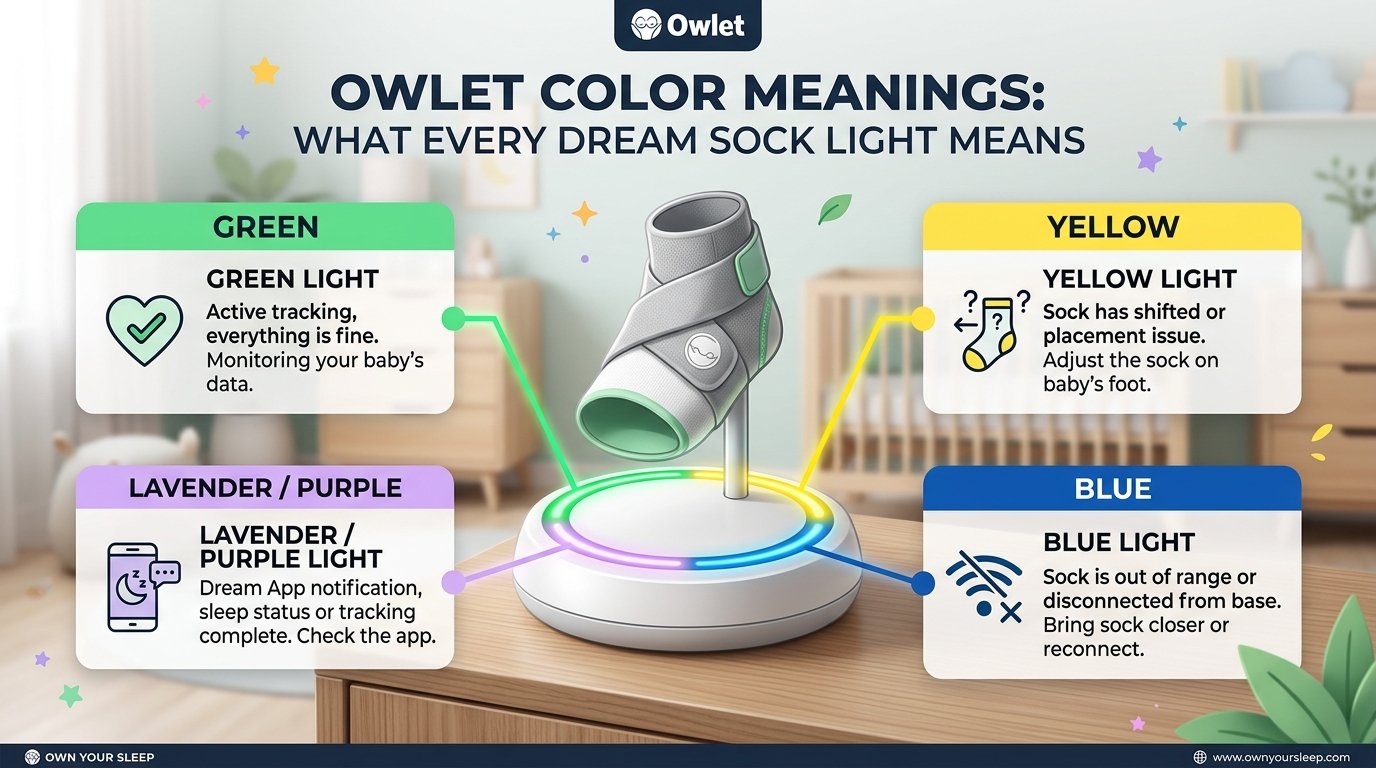
Quick Answer: For the current Owlet Dream Sock, green generally indicates normal monitoring or that the sock is obtaining readings. Blue can indicate a low-priority battery or connection notification, yellow commonly signals a placement or monitoring issue, lavender indicates that the baby may need help settling or that the sleep environment may be affecting sleep, and red is used for high-priority health notifications when Health Notifications are enabled. White and orange are mainly associated with charging and pairing status.
Owlet Color Meanings Chart
| Owlet Color | Light Pattern | General Meaning | What to Check |
|---|---|---|---|
| 🟢 Green | Pulsing | Dream Sock is functioning and receiving readings | Continue normal monitoring |
| 🟢 Green | Bouncing | Sock is getting initial readings or searching for readings | Check sock placement |
| 🔵 Blue | Solid/flashing, depending on version | Low-priority notification or connection/battery issue | Check battery, connection, or range |
| 🟡 Yellow | Flashing | Placement or monitoring problem | Reposition the sock |
| 🟣 Lavender | Flashing | Baby may be uncomfortable or not sleeping well | Check baby and sleep environment |
| 🔴 Red | Flashing | High-priority health notification on supported configurations | Check the app and follow the notification instructions |
| ⚪ White | Solid | Sock is fully charged | Ready for use |
| ⚪ White | Pulsing | Sock is charging | Allow it to charge |
| ⚪ White | Bouncing/blinking | Pairing status | Check Base Station pairing |
| 🟠 Orange | Blinking | Sock is associated with another Base Station | Use the correctly paired Base Station |
The exact meaning depends on the Owlet model and software configuration. For example, current Dream Sock documentation distinguishes normal status lights from notification colors, while older Smart Sock 3 documentation lists additional Base Station states.
What Does Green Mean on an Owlet?
Green is generally the reassuring status color on the Owlet Base Station.
A pulsing green light indicates that the Dream Sock is functioning and receiving readings. Owlet’s current instructions explain that when the Base Station softly pulses green, the child’s readings are being picked up.
A bouncing green light has a slightly different purpose. It can mean that the sock is obtaining initial readings or looking for readings. During this stage, the system may not yet be displaying complete information.
This distinction is useful because green does not always mean exactly the same thing. The movement of the light matters.
Green Owlet Light Meaning at a Glance
- Pulsing green: Normal monitoring/receiving readings.
- Bouncing green: Getting readings or searching for readings.
- Green after placing the sock: Usually indicates that monitoring has started.
In other words, green is primarily a status signal, not a psychological color meaning such as calmness or happiness.
What Does Blue Mean on an Owlet?
Blue has more than one documented meaning depending on the Dream Sock configuration and notification system.
Current Dream Sock documentation describes a blue notification as a low-priority notification. One current explanation says it can indicate that the sensor has about 50 minutes of battery life remaining.
Other Owlet documentation describes blue as a communication problem, such as the sock being too far from the Base Station, having a depleted battery, or having its signal blocked.
That means you should not automatically assume that every blue light means the same thing across every Owlet generation.
What to Do When Owlet Turns Blue
First, check:
- The sensor’s battery level.
- The distance between the sock and Base Station.
- Whether walls, furniture, electronics, or other objects are interfering with communication.
- The notification shown in the Owlet app.
Owlet recommends keeping the Base Station within a suitable communication range and placing it where the caregiver can hear notifications.
What Does Yellow Mean on an Owlet?
Yellow usually means the system needs your attention because the sock is not positioned correctly or monitoring has been interrupted.
For Dream Sock, a yellow notification can indicate a placement issue, meaning the sock may need to be repositioned.
Older Smart Sock 3 documentation similarly describes flashing yellow as meaning the sock has fallen off or is improperly placed.
Common Reasons for a Yellow Owlet Light
A yellow light can appear when:
- The sock has moved.
- The sock has fallen off.
- The sock is too loose.
- The wrong sock size is being used.
- The sensor is not positioned correctly.
- The sock is not making appropriate contact.
Owlet recommends checking the fit and making sure the sock is positioned correctly on the appropriate foot.
The practical lesson is simple: yellow is usually a reason to check the setup before assuming there is a health problem.
What Does Lavender Mean on an Owlet?
Lavender is one of the more distinctive Owlet colors.
A lavender notification indicates that the system’s sleep-related algorithms have detected signs that the baby may not be sleeping well or may need help settling. Owlet explains that the algorithm considers factors such as heart rate, oxygen level, waking, and movement when generating this type of prompt.
Lavender therefore relates more to sleep behavior and comfort than to a simple equipment status.
For example, if a baby has been moving for an extended period, the system may determine that the child is awake or having difficulty sleeping.
What Should Parents Do?
A lavender notification is a prompt to check the situation rather than a diagnosis.
You might check whether:
- Your baby is awake.
- The baby needs comforting.
- The room feels comfortable.
- The baby needs attention.
- There has been prolonged movement.
The color itself does not tell you exactly why your baby is awake. It is a notification generated by the system’s monitoring algorithms.
What Does Red Mean on an Owlet?
Red is the color that deserves the most immediate attention on supported Dream Sock configurations.
Current Owlet documentation identifies red as a high-priority notification. When Health Notifications are enabled, red can indicate that pulse rate or oxygen saturation has moved outside the preset notification ranges.
A red notification should therefore not be interpreted like a decorative color or general mood indicator.
What to Do With a Red Owlet Light
If you see red:
- Check the Base Station and Owlet app.
- Read the notification details.
- Check that the sock is positioned correctly.
- Follow the instructions provided with your device.
- If you are concerned about your baby’s condition, seek appropriate medical assistance.
The Owlet Dream Sock is a monitoring device and does not replace professional medical care. Current Owlet product information also describes the Health Notifications function as requiring separate activation.
Most importantly, do not use the color alone to make a medical decision. Look at the actual notification and your baby’s condition.
What Does White Mean on an Owlet?
White generally relates to charging and pairing rather than sleep or health notifications.
Current Owlet documentation identifies:
- Solid white: The sock is fully charged.
- Pulsing white: The sock is charging.
- Bouncing or blinking white: Pairing status may need attention.
This makes white one of the easiest Owlet colors to understand.
White Light During Charging
If you place the sensor on the Base Station and see a pulsing white light, the sensor is charging.
Once fully charged, the light can become solid white.
So, unlike red or yellow, white is normally associated with the device’s power and pairing state.
What Does Orange Mean on an Owlet?
Orange is primarily associated with pairing.
Owlet documentation explains that a blinking orange light can appear when a sock is placed on a Base Station that it is not paired with.
This can be particularly useful for families using more than one Owlet setup.
For example, if two children each have a separate sock and Base Station, accidentally placing one sensor on the other Base Station can produce an orange indication.
Orange Does Not Usually Mean a Health Problem
Orange is mainly a device relationship or pairing signal.
If it appears unexpectedly, check whether the sensor belongs to that particular Base Station.
Owlet Color Meanings vs. Traditional Color Psychology
It is easy to confuse Owlet color meanings with ordinary color symbolism.
In traditional color psychology:
- Green may suggest nature, safety, or balance.
- Blue may suggest calmness or trust.
- Yellow may suggest energy or attention.
- Red may suggest urgency or danger.
- White may suggest cleanliness or simplicity.
- Purple or lavender may suggest calmness, imagination, or spirituality.
However, those associations are not the reason Owlet selected these colors for specific notifications.
The Owlet system uses colors as part of a functional user interface. A red notification means something specific because Owlet assigned that color to a particular notification priority—not because red universally means danger in every culture.
This distinction is important when researching owlet color meanings.
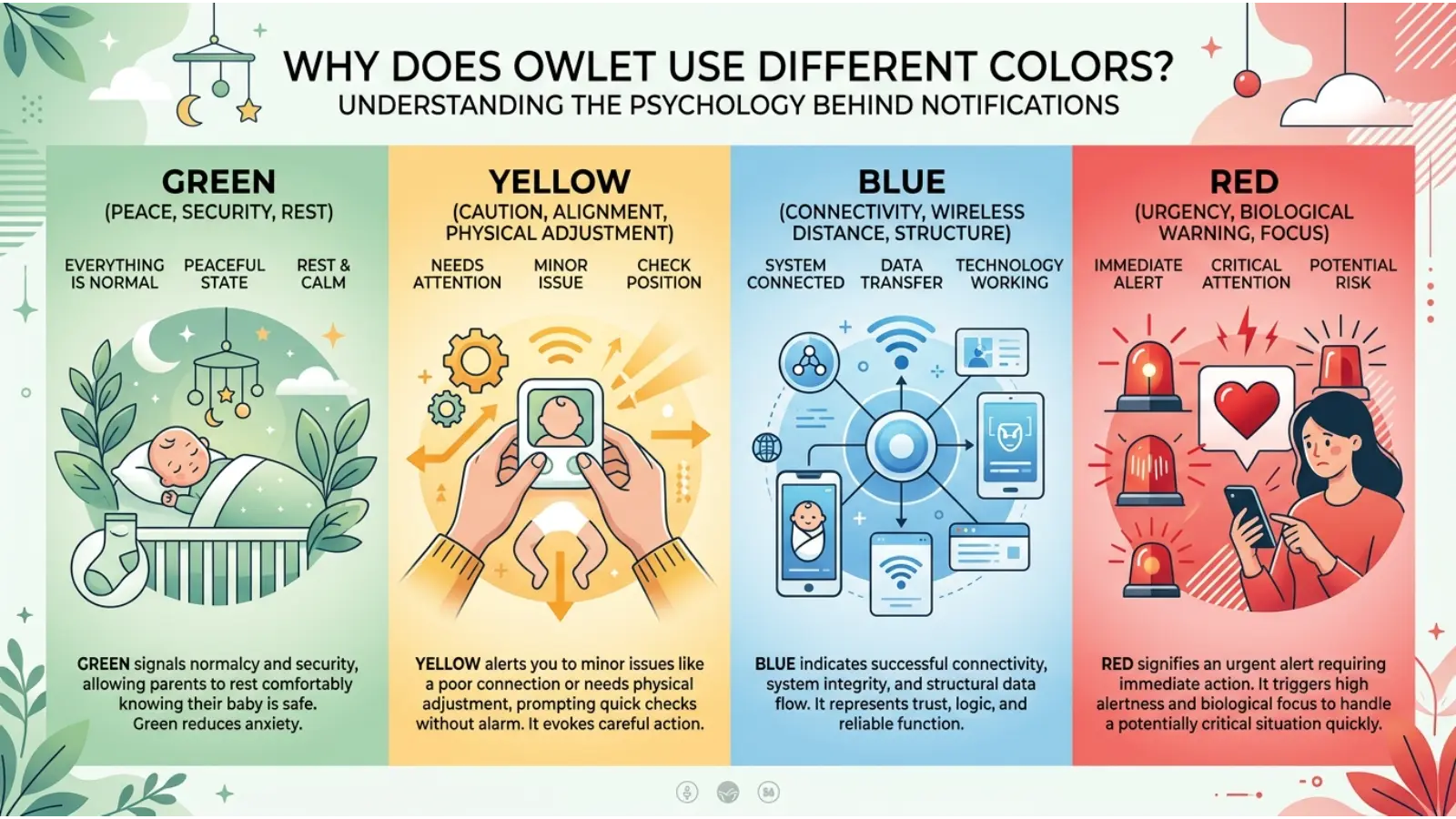
Why Does Owlet Use Different Colors?
Color is extremely effective for communicating information quickly.
Imagine waking up at night and seeing a light on the Base Station. Reading a long message would be difficult. A simple color-and-sound system lets you recognize that something needs attention before opening your phone.
Owlet combines:
- Color
- Light movement
- Sound
- App notifications
- Device status
Together, these create a visual hierarchy.
For example, green can indicate normal monitoring, while higher-priority notifications receive more attention-grabbing signals.
Current Owlet documentation specifically describes red, yellow, blue, and lavender as different notification priority types in supported Dream Sock configurations.
Real-Time Example: What an Owlet Light Might Tell You
Imagine you put the Dream Sock on your baby before bedtime.
At first, the Base Station begins bouncing green. This tells you the system is getting readings.
A short time later, it changes to pulsing green. That means the system is receiving readings and functioning normally.
Later, you notice a yellow notification. Instead of assuming something is medically wrong, you first check the sock. You discover that it has shifted and needs repositioning.
After fixing the placement, the system returns to green.
This example shows why understanding the type and pattern of the Owlet light is more useful than simply memorizing color names.
How Lighting Changes the Appearance of Owlet Colors
The same light can look different depending on the room.
A green light in a dark nursery may appear brighter and more intense than the same light during daylight. White light can also look warmer or cooler depending on surrounding lighting.
Owlet states that the Base Station includes an ambient light sensor and automatically adjusts its brightness based on the room.
Therefore, focus on the official light pattern and notification, rather than trying to judge a color from a photograph or video.
Owlet Color Meanings and Context
Context matters because the same color can have different functions across Owlet products and generations.
For example, older Smart Sock 3 documentation includes colors and states such as green, blue, yellow, red, orange, and white.
Current Dream Sock documentation uses a more specific notification system and may describe blue differently depending on the configuration.
That is why online charts that claim one universal meaning for every Owlet light can be misleading.
Always Identify Your Owlet Model
Before troubleshooting a light:
- Check your product model.
- Check the current Owlet app.
- Read the notification displayed.
- Compare the light pattern with the appropriate user guide.
This small step can prevent confusion.
Owlet Colors and Psychology
From a design perspective, the Owlet color system demonstrates how color can influence attention.
People tend to notice strong visual contrasts quickly, especially when a light changes suddenly in a dark room. This makes color useful for alerts and status communication.
However, it would be inaccurate to say that seeing a particular Owlet color automatically causes a specific psychological response in every parent.
Instead, the meaning is largely learned through the product interface.
Once users learn that green means normal monitoring and red represents a high-priority notification on supported configurations, the colors become visual shortcuts.
Owlet Color Meanings in Everyday Use
The system becomes particularly useful during repetitive nighttime routines.
Parents may not want to open an app every few minutes simply to determine whether monitoring is active. A glance at the Base Station can provide immediate information.
For example:
- Green: Monitoring is active.
- Yellow: Check sock placement or monitoring.
- Blue: Check battery or connection-related information, depending on model.
- Lavender: Check sleep and comfort.
- Red: Check the high-priority notification.
- White: Check charging or pairing.
- Orange: Check whether the sensor is paired with the correct Base Station.
These meanings turn the Base Station into a simple visual dashboard.
Common Misconceptions About Owlet Color Meanings
Myth: Every Owlet color has a universal meaning
Not necessarily. Meanings can vary by model, firmware, region, and notification configuration.
Myth: Green means the baby is medically guaranteed to be safe
Green indicates a particular monitoring status or, on supported systems, readings within configured zones. It should not be treated as a guarantee of overall health.
Myth: Red always means an emergency
Red represents a high-priority notification on supported configurations, but the exact reason should be checked in the app and device instructions.
Myth: Blue always means the sock is disconnected
Not across every Owlet configuration. Current documentation can associate blue with low battery, while other Dream Sock guidance describes connection-related causes.
Myth: Lavender is a medical warning
Lavender is associated with sleep-related prompts, such as signs that the baby may not be sleeping well. It is not the same type of notification as a high-priority health notification.
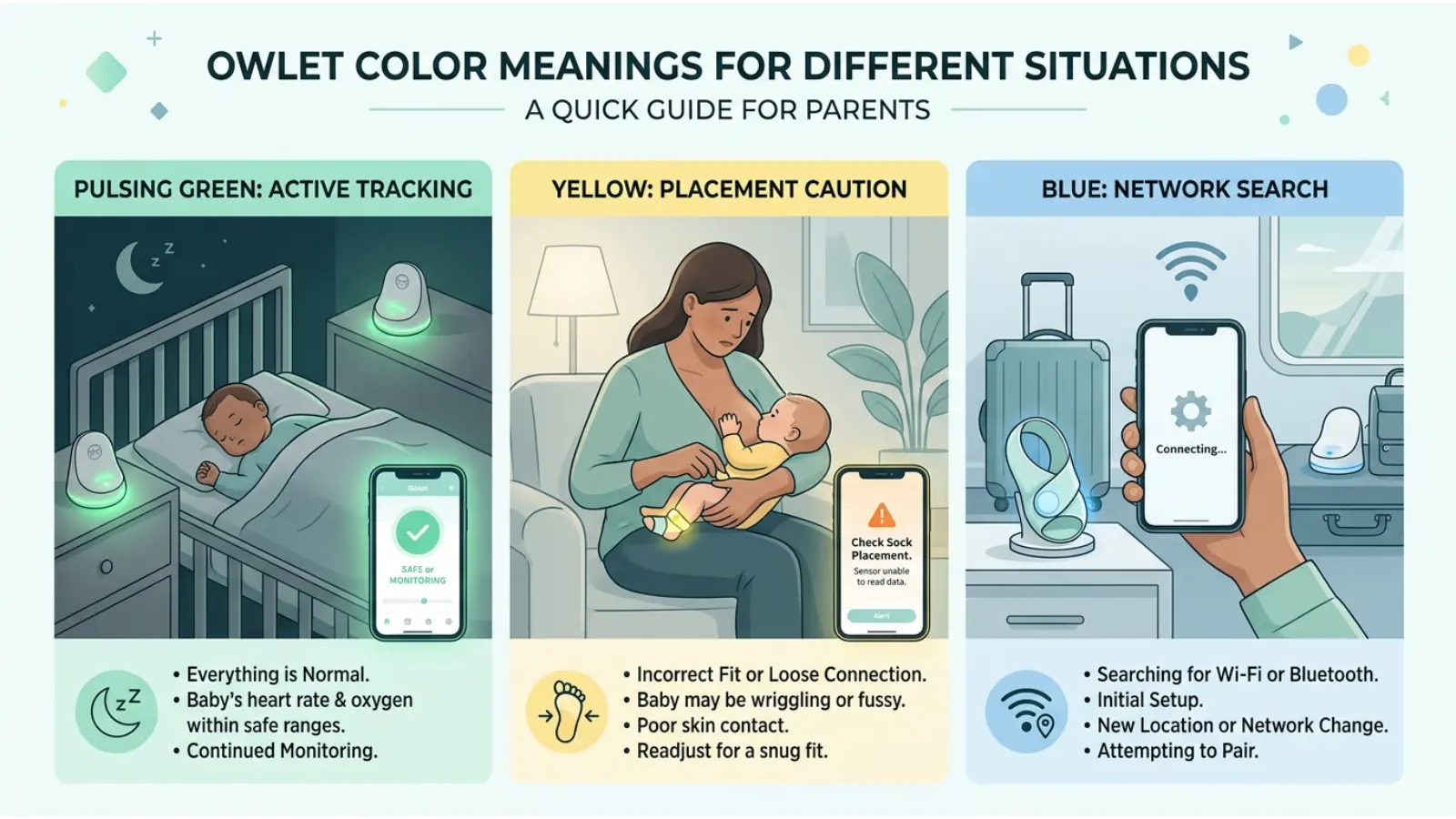
Owlet Color Meanings for Different Situations
During Bedtime
Green is the color most users want to see once monitoring has started. If the light does not settle into the expected status, check the sock position and app.
During Charging
White is the key color. Pulsing white generally indicates charging, while solid white indicates a full charge.
When the Baby Moves
Movement can temporarily affect the quality or availability of readings. Owlet explains that high movement can cause the system to pause readings until it can obtain suitable readings again.
When the Sock Moves
Yellow can indicate that the sock has fallen off or is improperly positioned on supported configurations.
When the Baby May Be Awake
Lavender may appear when the system’s sleep algorithms determine that the baby may not be sleeping well.
Owlet Color Meanings for Parents Using Two Devices
Families with twins or multiple children need to pay special attention to pairing.
Each sock and Base Station relationship matters because sleep history and indicators are associated with the relevant setup. Owlet recommends keeping track of which sensor belongs with which Base Station.
An orange light can therefore be especially useful as a warning that the wrong sensor and Base Station combination has been used.
How to Troubleshoot an Unexpected Owlet Color
When a color appears unexpectedly, use this simple process:
First, identify the color.
Then identify whether it is:
- Pulsing
- Flashing
- Bouncing
- Solid
- Blinking
Next, open the Owlet app and read the notification.
After that, check:
- Sock placement.
- Sensor battery.
- Base Station connection.
- Wi-Fi or Bluetooth-related issues where applicable.
- Pairing.
- Your baby’s actual condition.
Finally, consult the official instructions for your exact Owlet model.
This approach is safer than relying on a generic color chart.
Why Owlet Color Meanings Are Different From Other Smart Devices
A smartwatch, router, security camera, or baby monitor may also use green, blue, yellow, and red lights. However, the colors do not have universal technical meanings.
Green might mean “connected” on one device and “charging” on another.
The same principle applies to Owlet. The product’s documentation defines the meaning.
Therefore, context is more important than the color itself.
Frequently Asked Questions About Owlet Color Meanings
What does a green Owlet light mean?
A pulsing green Base Station generally means the Dream Sock is functioning and receiving readings. A bouncing green light can indicate that the system is obtaining or searching for readings.
What does a blue light mean on Owlet?
Depending on the Dream Sock configuration, blue can indicate a low-priority notification such as low sensor battery, while other documentation associates blue with communication problems. Check the current app notification and your model’s guide.
What does yellow mean on an Owlet?
Yellow commonly indicates a placement or monitoring issue. Check whether the sock has shifted, fallen off, or been positioned incorrectly.
What does lavender mean on Owlet?
Lavender is associated with a sleep-related prompt. The system may determine that the baby is awake, moving for an extended period, or not sleeping well.
What does a red Owlet light mean?
On supported Dream Sock configurations with Health Notifications enabled, red is a high-priority notification associated with pulse rate or oxygen saturation moving outside preset notification ranges.
What does white mean on an Owlet Base Station?
White generally indicates charging or pairing status. Pulsing white means the sensor is charging, while solid white means it is fully charged on supported Dream Sock configurations.
Why is my Owlet light orange?
A blinking orange light can indicate that the sock is being placed on a Base Station it is not paired with. This is especially important when more than one Owlet setup is being used.
Can Owlet colors tell me if my baby is healthy?
No single color should be treated as a complete assessment of a baby’s health. Owlet colors communicate device status or specific notifications. Always consider the baby’s condition and follow the instructions associated with your particular device.
Why does my Owlet color look different at night?
The Base Station’s brightness changes according to the surrounding light. A color can therefore appear stronger or softer in a dark nursery than in daylight.
Are Owlet color meanings the same for every model?
No. Different Owlet products and generations can use different light patterns and notification systems. Always check the documentation for your exact model.
Final Thoughts on Owlet Color Meanings
Understanding owlet color meanings is really about learning a visual language. Green, blue, yellow, lavender, red, white, and orange each provide information, but the exact meaning depends on the Owlet model, the light pattern, and the notification currently active.
The most useful habit is to avoid interpreting a color in isolation. Instead, combine the color, light pattern, app notification, device model, and real-world situation. That gives you a much clearer picture of what the Base Station is communicating.
Owlet’s current documentation also shows why older online color charts should be treated carefully: the meaning of a particular color can differ between product generations and notification configurations.
In everyday use, the goal is not to memorize a complicated list. Learn the few colors you see most often, recognize when a light represents normal operation versus a notification, and use the official instructions whenever something unexpected happens. That makes the Owlet system easier to understand—and much more useful during those quiet, sometimes confusing hours of nighttime baby care.

Emma Wilson is a dedicated comparison writer and product researcher at ColorMystiic.com. She specializes in creating unbiased product comparisons, detailed reviews, and helpful buying guides. Her goal is to help readers make smarter purchasing decisions with confidence.