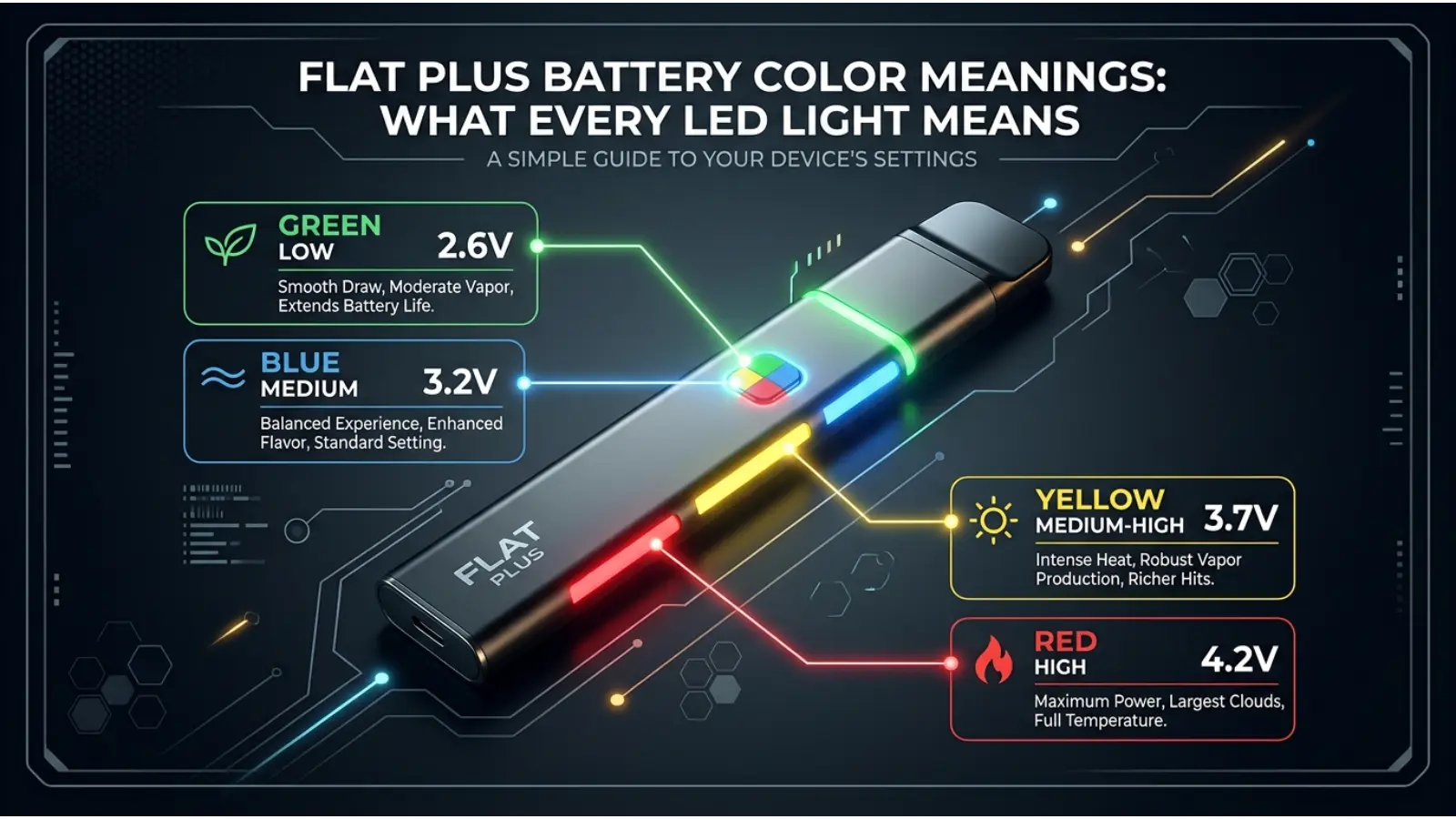
If you are searching for Flat Plus battery color meanings, you are probably trying to understand what the LED on your Flat Plus battery is telling you. Unlike traditional color symbolism, these colors are not mainly about emotions, personality, spirituality, or culture. They are device signals used to show voltage settings, charging status, operating status, and warnings.
The exact meaning depends on the Flat Plus model. For the original Wulf Mods Flat Plus 510 battery, the LED uses white, green, and red during normal operation, while flashing patterns can indicate a low battery or a connection/short-circuit problem. The device has a 900mAh battery, USB-C charging, three voltage settings, a 10-second preheat function, and a 15-second safety cutoff.
Understanding these signals can save you from guessing when your battery needs charging or when a cartridge is not connected correctly. Below, you will find a simple Flat Plus battery color meanings chart, explanations of each LED signal, and practical examples of what to do when a particular light appears.
Quick Answer: What Do Flat Plus Battery Colors Mean?
On the original Wulf Mods Flat Plus, white means 2.6V, green means 3.2V, and red means 3.8V when selecting the three voltage settings. A solid white light is also used during the 10-second preheat cycle. During charging, the LED stays red until the battery is full, then turns off. Ten red flashes indicate that the battery is depleted, while five red flashes indicate a short-circuit or cartridge-connection warning.
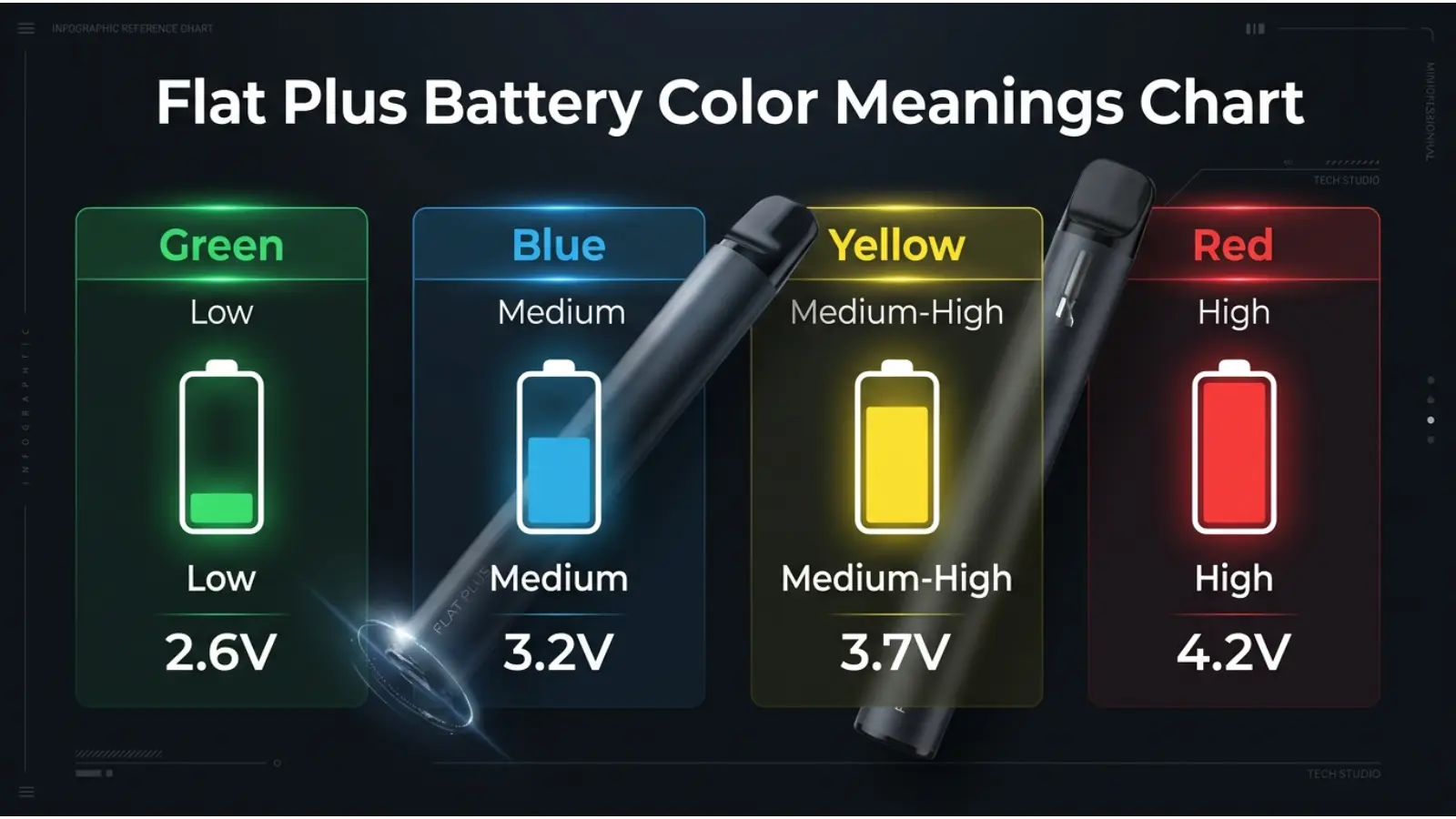
Flat Plus Battery Color Meanings Chart
| LED color or pattern | Meaning | What it tells you | What to do |
|---|---|---|---|
| White | 2.6V setting | Lowest of the three original voltage settings | Use when you want the lowest available voltage |
| Green | 3.2V setting | Medium voltage | Use the middle voltage setting |
| Red | 3.8V setting | Highest of the three original voltage settings | Use the highest available setting carefully |
| Solid white | Preheat | The 10-second preheat cycle is active | Wait for the light to turn off |
| Red while charging | Charging | The battery is receiving a charge | Continue charging according to the manufacturer’s instructions |
| No light after charging | Full charge | Charging indicator has switched off | Disconnect according to the manufacturer’s guidance |
| 10 red flashes | Low/depleted battery | The battery needs charging | Recharge the device |
| 5 red flashes | Short-circuit warning | A connection or cartridge problem may exist | Stop using it and check the cartridge connection |
The chart applies specifically to the original Wulf Mods Flat Plus documentation. Other products using the name “Flat Plus,” including newer models, can have different displays and controls, so the model matters.
What Does the White Light Mean on a Flat Plus Battery?
The white LED has more than one function on the original Flat Plus.
First, white represents the 2.6V voltage setting, which is the lowest of its three preset voltage levels. When you press the power button three times to change voltage, the device flashes its selected color three times. Therefore, three white flashes indicate the 2.6V setting.
White is also used for the device’s preheat function. Pressing the power button twice quickly starts a 10-second preheat cycle, during which the LED glows solid white. When the preheat finishes, the light switches off.
There is also another white signal when powering the original device on. Five rapid presses of the power button turn the Flat Plus on, followed by five white flashes confirming that the device is ready.
So, white does not always mean one single thing. The button action and timing tell you which white-light function is occurring.
What Does the Green Light Mean?
A green light represents the 3.2V setting on the original Wulf Mods Flat Plus.
This is the middle option between 2.6V white and 3.8V red. To change the setting, press the power button three times in succession. The LED then flashes three times in the color corresponding to the selected voltage.
The important point is that green here is not a universal battery meaning. It does not automatically mean “full,” “safe,” or “ready” on every vape battery. On this particular Flat Plus, green identifies a specific voltage setting.
That distinction is useful because battery LEDs often use familiar colors in different ways. Always interpret the color together with the device’s operating instructions.
What Does the Red Light Mean?
Red is the most important color to understand because it has several meanings depending on when it appears.
During normal voltage selection, red represents 3.8V, the highest of the three original Flat Plus voltage settings. Three red flashes after pressing the button three times indicate that this setting has been selected.
Red also appears while the battery is charging. According to the manufacturer, the LED remains red during charging and switches off when the battery is full.
However, flashing red can indicate a problem.
Ten red flashes mean the battery is depleted and needs charging. Five red flashes indicate a short-circuit warning, which can also happen when the cartridge is not connected correctly.
Therefore, never interpret “red” by itself. Ask how many times it flashes and what the device was doing at the time.
Why Does My Flat Plus Flash Red 10 Times?
If your Flat Plus flashes red 10 times, the manufacturer’s troubleshooting information identifies this as a depleted-battery warning. In simple terms, the battery has reached a low enough level that it needs to be recharged.
A useful real-time example is this:
Imagine you press the button to use the device and the LED flashes red ten times instead of operating normally. That pattern is different from the steady red light seen during charging. In this situation, the first thing to consider is battery level, not voltage selection or cartridge color.
Connect the device to the appropriate charger and follow the manufacturer’s charging instructions. If the battery repeatedly shows the same warning immediately after charging, further troubleshooting may be necessary.
What Does Five Red Flashes Mean?
Five red flashes indicate a short-circuit warning on the original Wulf Mods Flat Plus. The manufacturer also states that an improperly connected cartridge can trigger this warning.
If this happens, do not simply keep pressing the power button.
Instead, stop using the device and inspect the cartridge connection. The cartridge should be properly seated in the 510 connection. If the warning continues, the cartridge itself may need to be replaced.
This is one of the most useful Flat Plus LED signals because it separates an ordinary low-battery problem from a possible connection or electrical issue.
Flat Plus Charging Light Meaning
While charging, the original Flat Plus uses a red LED. Once charging is complete, the light turns off.
This means:
Red light = charging
Light off after charging = charging indicator has stopped
Do not assume that a red charging light means the battery is damaged. In this specific device, red is the normal charging indicator.
The manufacturer also gives specific charging warnings, including avoiding charging with a power bank rated at 5V or higher, avoiding charging in a car, and avoiding overcharging.
Because lithium-ion batteries can present safety risks when improperly charged or damaged, use the manufacturer’s recommended charging method rather than experimenting with chargers.
How the Flat Plus Voltage Colors Work
The original Flat Plus uses three preset voltage colors:
White — 2.6V
White identifies the lowest preset voltage.
Green — 3.2V
Green identifies the middle voltage.
Red — 3.8V
Red identifies the highest preset voltage.
Pressing the power button three times changes between these settings, and the LED flashes the new color three times to confirm the selection.
This system is a good example of how color can function as a user-interface language. Instead of reading a number every time, the user can recognize a color quickly.
Why Color Is Used for Battery Indicators
Color makes small electronic interfaces easier to understand.
A device with only one button and a small LED has limited space for instructions. Colors provide a fast visual signal. Users can learn that one color corresponds to one setting without needing to read a screen.
However, color alone is not enough.
For example, red can mean 3.8V, charging, low battery, or short-circuit warning, depending on the situation. The number of flashes and the action that came immediately before the light appeared provide additional information.
This is why a good battery color guide should explain color + pattern + context, rather than simply saying “red means danger.”
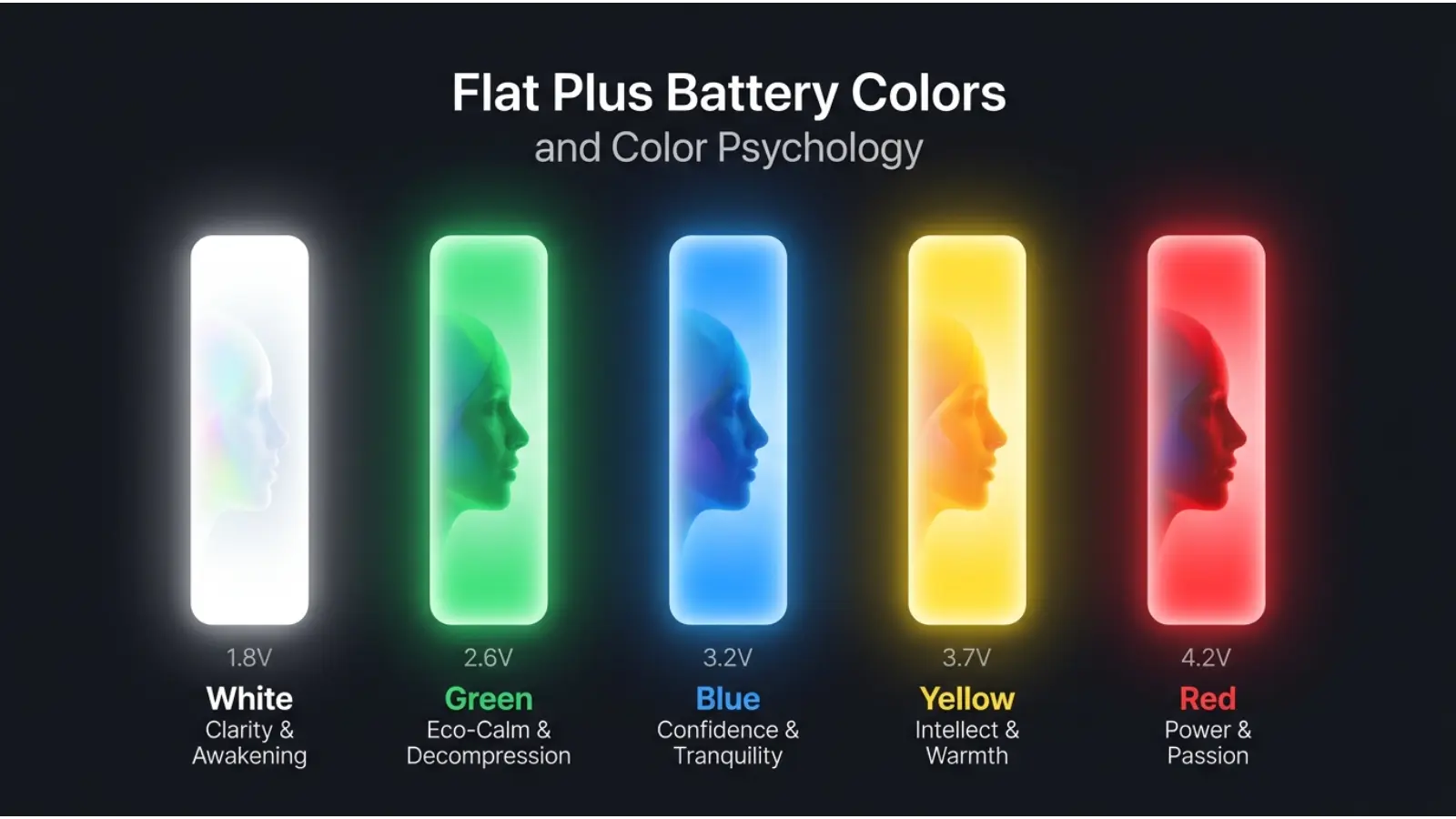
Flat Plus Battery Colors and Color Psychology
It is tempting to apply traditional color psychology to these LEDs.
White is often associated with simplicity or clarity. Green is commonly associated with balance or nature. Red can suggest energy or warning. Those associations may help explain why users quickly recognize certain interface colors.
However, those psychological associations are not the technical meanings of the Flat Plus LEDs.
For this device, the manufacturer assigns the colors to specific functions. White means 2.6V in voltage-selection mode, green means 3.2V, and red means 3.8V.
That distinction matters. A color can have a cultural or psychological association while simultaneously having a completely different technical meaning inside an electronic device.
Flat Plus Battery Color Meanings vs. General Battery Colors
There is no universal color code that applies to every rechargeable battery or electronic device.
For example, one product may use green for a full battery, while another may use green for a performance setting. Similarly, red may indicate charging on one product but a fault on another.
The Flat Plus demonstrates this clearly. Red can identify the highest voltage setting, charging, a depleted battery through ten flashes, or a connection/short-circuit warning through five flashes.
Therefore, avoid relying on general assumptions such as:
- Green always means full.
- Red always means empty.
- White always means normal.
- Flashing always means an error.
Those statements are too broad to be reliable.
Real-World Example: Reading the LED Correctly
Suppose you press the power button three times because you want to change the voltage.
The Flat Plus flashes green three times.
That tells you the device has selected 3.2V.
Later, you connect it to USB-C and see a steady red light. That is a different situation: the red light is now associated with charging, not the 3.8V setting.
Then, after using the device, you press the button and receive ten red flashes. The context has changed again. This pattern means the battery is depleted.
Finally, imagine you attach a cartridge and receive five red flashes. That pattern indicates a short-circuit warning and may be related to an improperly connected cartridge.
The same color can therefore communicate different information depending on timing, number of flashes, and user action.
Does the Flat Plus Have Different Color Options?
Yes. The exterior color of the Flat Plus is separate from the meaning of its LED.
The original Wulf Mods Flat Plus has been offered in several finishes, including black-green spatter, black-red spatter, black-white spatter, full color, purple-black spatter, pink-black spatter, teal-black spatter, white-black spatter, and white-red spatter.
These body colors are primarily aesthetic choices.
For example, choosing a purple-and-black or teal-and-black finish does not change what the LED colors mean. The product’s technical LED signals remain tied to its operating functions.
This is an important difference between product color and indicator color.
Flat Plus 2.0: Why Model Numbers Matter
Search results can become confusing because newer Flat Plus models exist.
Wulf Mods introduced the Flat Plus 2.0 in 2026 with a different design and a digital display. The manufacturer describes it as a 900mAh 510 battery with adjustable voltage from 1.8V to 4.2V, plus dedicated plus and minus buttons.
That means you should not automatically apply every original Flat Plus LED instruction to a Flat Plus 2.0.
If your device has a digital display or different controls, identify the exact model before interpreting its lights. Product generations can change the interface, voltage range, and way information is displayed.
What Should You Do If the Flat Plus Light Looks Wrong?
Start by identifying the pattern.
If it flashes red ten times, consider the battery depleted and recharge it according to the manufacturer’s instructions.
If it flashes red five times, stop using it and check the cartridge connection. The manufacturer identifies this as a short-circuit warning and notes that improper cartridge connection can trigger it.
If the device behaves differently from the instructions, do not guess based on color psychology. Check the exact model and its official instructions.
Also, never continue using a device that appears damaged, overheats unusually, has a damaged charging port, or shows persistent electrical warnings.
Flat Plus Battery Color Meanings in Everyday Use
The LED system is most useful when you learn it as a small visual language:
White → 2.6V
Green → 3.2V
Red → 3.8V
Solid white → preheat
Red while connected to the charger → charging
10 red flashes → depleted battery
5 red flashes → short-circuit or cartridge connection warning
This makes the device easier to operate without constantly checking written instructions.
Common Misconceptions About Flat Plus Battery Colors
“Red always means the battery is empty.”
Not necessarily. On the original Flat Plus, red also represents the 3.8V setting and appears during charging. Ten red flashes specifically indicate a depleted battery.
“Green means the battery is fully charged.”
There is no support for that interpretation in the original Flat Plus instructions. Green represents the 3.2V voltage setting.
“White means the battery is full.”
Again, not according to the manufacturer’s instructions. White is used for the 2.6V setting, power-on confirmation, and preheat.
“Five red flashes and ten red flashes mean the same thing.”
They do not. Five red flashes indicate a short-circuit warning, while ten red flashes indicate a depleted battery.
“The outside color changes the LED meaning.”
No. The exterior finish is an aesthetic choice and does not redefine the operating signals.
Flat Plus Battery Color Meanings FAQ
What does white mean on a Flat Plus battery?
On the original Wulf Mods Flat Plus, white represents the 2.6V voltage setting. A solid white LED is also used during the 10-second preheat cycle, while five white flashes can confirm that the device has been turned on.
What does green mean on a Flat Plus battery?
Green means the 3.2V voltage setting on the original Flat Plus. Three green flashes confirm that this voltage setting has been selected.
What does red mean on a Flat Plus battery?
Red can mean several things. It represents the 3.8V setting, appears while the battery is charging, and can also be used for warning patterns. Ten red flashes indicate a depleted battery, while five red flashes indicate a short-circuit warning.
Why is my Flat Plus flashing red 10 times?
Ten red flashes indicate that the battery is depleted and needs charging on the original Wulf Mods Flat Plus.
Why is my Flat Plus flashing red 5 times?
Five red flashes indicate a short-circuit warning. The manufacturer says an improperly connected cartridge can also trigger this warning. Stop using the device and check the cartridge connection.
Why is my Flat Plus light red while charging?
Red is the normal charging indicator on the original Flat Plus. The manufacturer states that the LED stays red while charging and turns off when the battery is full.
What voltage is green on the Flat Plus?
Green corresponds to 3.2V on the original Flat Plus. The other two preset colors are white at 2.6V and red at 3.8V.
What voltage is red on the Flat Plus?
Red corresponds to 3.8V, the highest of the three preset voltage settings on the original Flat Plus. However, red also has other meanings depending on the LED pattern.
Are Flat Plus and Flat Plus 2.0 color meanings the same?
Not necessarily. The Flat Plus 2.0 has a different interface, including a digital display and adjustable voltage from 1.8V to 4.2V. Always check which model you own before applying LED instructions.
Is Flat Plus a normal color-symbolism system?
No. The Flat Plus LED colors are primarily functional device indicators, not a traditional color symbolism system. Their meanings are assigned by the manufacturer to communicate operating conditions and settings.
Final Thoughts on Flat Plus Battery Color Meanings
The easiest way to understand Flat Plus battery color meanings is to stop thinking of the LED as a traditional color-symbolism chart and instead treat it as a compact control panel.
On the original Wulf Mods Flat Plus, white, green, and red identify three voltage settings: 2.6V, 3.2V, and 3.8V. White can also indicate preheat, while red is used for charging and specific warning patterns. Most importantly, five red flashes and ten red flashes do not mean the same thing. Five indicate a short-circuit warning, while ten indicate a depleted battery.
The bigger lesson is useful beyond this one device: LED colors only have meaning within their design context. A red light can mean “charging,” “high setting,” or “warning” depending on the product and the number of flashes. By paying attention to color, timing, and flash count together, you can read the Flat Plus indicator much more accurately and avoid confusing a normal operating signal with a problem.

Emma Wilson is a dedicated comparison writer and product researcher at ColorMystiic.com. She specializes in creating unbiased product comparisons, detailed reviews, and helpful buying guides. Her goal is to help readers make smarter purchasing decisions with confidence.